

Introduction
Why do so many small businesses struggle to grow—even when they have great products, strong marketing, and a loyal customer base?
It’s a frustrating reality. You might be doing everything “right”—running ads, posting on social media, improving your offerings—yet your results still feel inconsistent or unpredictable.
The truth is, most small businesses are not failing because of a lack of effort. They are failing because they are operating without clear, reliable data.
The answer is simple: they lack data-driven decision-making.
In today’s fast-paced and highly competitive environment, relying on intuition or guesswork is no longer enough. Business owners who make decisions based on assumptions often end up:
- Investing in the wrong marketing channels
- Stocking products that don’t sell
- Misunderstanding their customers’ needs
- Missing key opportunities for growth
Meanwhile, their competitors are taking a completely different approach.
They are leveraging Business Intelligence Tools to track performance in real time, understand customer behavior, and make smarter, faster, and more profitable decisions.
- Instead of guessing, they know.
- Instead of reacting late, they act early.
- Instead of wasting resources, they optimize every move.
This is the difference that Business Intelligence Tools make.
If you’ve ever asked yourself questions like:
- Why do my sales go up one month and drop the next?
- Which marketing channels are actually bringing in customers?
- Where exactly is my business losing money?
- What products or services are truly driving profit?
Then what you’re really looking for is clarity—and that’s exactly what Business Intelligence Tools provide.
These tools collect data from different parts of your business—sales, marketing, customer interactions, and operations—and turn that raw information into simple, visual insights you can actually use.
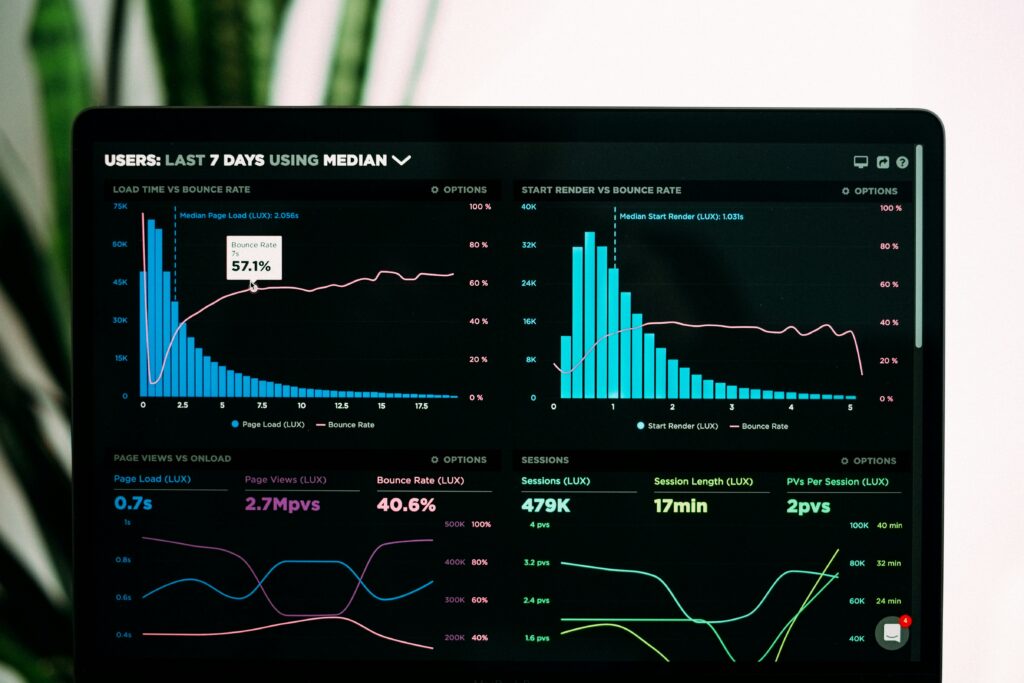
Instead of staring at spreadsheets or trying to connect the dots manually, Business Intelligence Tools present everything in easy-to-understand dashboards, charts, and reports.
This allows you to:
- Identify trends before they become problems
- Spot opportunities for growth early
- Measure what’s working and what’s not
- Make confident, data-backed decisions
And the best part? You don’t need to be a data expert to use them.
In 2026, Business Intelligence Tools have become more accessible than ever. Many are designed specifically for small businesses, offering user-friendly interfaces, affordable pricing, and powerful features once available only to large corporations.
This means you can now compete on a level playing field—no matter the size of your business.
That’s exactly why this guide on the 10 Best Business Intelligence Tools for Small Businesses in 2026 is so important.
In this comprehensive post, you’ll learn:
- What Business Intelligence Tools are and how they work
- Why are they essential for small business growth in 2026
- How to choose the right tool based on your needs and budget
- A detailed breakdown of the 10 Best Business Intelligence Tools for Small Businesses in 2026
- A practical, step-by-step guide to getting started
By the end of this post, you won’t just understand Business Intelligence Tools—you’ll have a clear roadmap for using them to transform your business, improve your decision-making, and unlock consistent, sustainable growth.
You’re in the proper place if you’re prepared to quit speculating and begin developing.
Understanding Business Intelligence
What Business Intelligence Means in Simple Terms
Business Intelligence (BI) refers to the process of collecting, analyzing, and visualizing data to make better business decisions.
In simple terms, Business Intelligence Tools turn raw data into meaningful insights.
Instead of guessing what’s happening in your business, you can:
- See real-time performance
- Track trends
- Identify opportunities
This is why Business Intelligence Tools are becoming essential for small businesses in 2026.
Why It Matters for Small Businesses
Many people think BI is only for large corporations—but that’s no longer true.
Today, Business Intelligence Tools are:
- Affordable
- Easy to use
- Designed for small teams
- For small businesses, Business Intelligence Tools help:
- Reduce costly mistakes
- Improve efficiency
- Make faster decisions
- Compete with larger companies
Without Business Intelligence Tools, small businesses risk making decisions based on incomplete or inaccurate data.
Real-Life Example
Imagine you run an online store.
Without Business Intelligence Tools, you might:
- Guess which products sell best
- Manually track sales
- Miss patterns in customer behavior
- With Business Intelligence Tools, you can:
- Identify top-performing products
- Track customer buying habits
- Optimize pricing and promotions
This is the power of Business Intelligence Tools.
Key Components of Business Intelligence
1. Data Collection
Business Intelligence Tools gather data from:
- Sales platforms
- Websites
- Social media
- Accounting software
2. Data Analysis
They process and analyze large datasets to uncover trends.
3. Data Visualization
Using dashboards, charts, and graphs, Business Intelligence Tools present data in a clear and actionable way.
4. Decision-Making
Ultimately, Business Intelligence Tools help you make informed business decisions.
Benefits of Business Intelligence for Small Businesses
In today’s data-driven economy, adopting Business Intelligence Tools is no longer a luxury—it’s a necessity. Small businesses that use data effectively are more agile, more competitive, and better positioned for long-term success. Below are the key benefits of using Business Intelligence Tools in your business.
1. Better Decision-Making
One of the most powerful advantages of Business Intelligence Tools is their ability to improve decision-making.
Traditionally, many small business owners rely on intuition, past experience, or incomplete information when making decisions. While experience is valuable, it often leads to inconsistent results when not backed by data.
With Business Intelligence Tools, decisions are based on accurate, real-time data—not assumptions.
For example:
- Instead of guessing which product sells best, you can see exact sales figures
- Instead of assuming which campaign works, you can track conversions
- Instead of reacting late, you can act proactively
These tools provide dashboards and reports that clearly show what is happening in your business at any given time.
This leads to:
- Faster decisions
- More confident strategies
- Reduced risk of costly mistakes
Ultimately, Business Intelligence Tools help you make smarter choices that drive better results.
2. Cost Reduction
Running a small business efficiently requires tight control over expenses. This is where Business Intelligence Tools play a crucial role.
By analyzing your business data, these tools can uncover inefficiencies that might otherwise go unnoticed.
For instance:
- Identifying underperforming products that waste inventory
- Highlighting marketing campaigns that deliver low ROI
- Detecting operational bottlenecks that increase costs
- With these insights, you can:
- Eliminate unnecessary spending
- Optimize resource allocation
- Improve operational efficiency
Instead of blindly cutting costs, Business Intelligence Tools allow you to make strategic reductions that improve profitability without harming growth.
3. Customer Insights
Understanding your customers is key to business success, and Business Intelligence Tools make this easier than ever.
These tools collect and analyze customer data from various touchpoints, such as:
- Website activity
- Purchase history
- Social media interactions
- Customer feedback
With this data, you can gain valuable insights into:
- Customer preferences
- Buying behavior
- Demographics
- Trends over time
For example, Business Intelligence Tools can help you answer questions like:
- Which products do customers buy most often?
- What time of year do sales peak?
- Which customer segments generate the most revenue?
With this knowledge, you can:
- Personalize marketing campaigns
- Improve customer experience
- Increase customer retention
In short, Business Intelligence Tools help you understand your audience more deeply and serve them better.
4. Growth Tracking
Growth is the goal of every business—but without proper tracking, it’s difficult to measure progress accurately.
Business Intelligence Tools provide clear visibility into your business performance, allowing you to monitor growth in real time.
You can track key performance indicators (KPIs) such as:
- Revenue growth
- Customer acquisition
- Conversion rates
- Profit margins
These insights help you:
- Identify what’s driving growth
- Spot areas that need improvement
- Set realistic goals
- Measure success over time
Instead of relying on monthly reports or manual tracking, Business Intelligence Tools give you continuous access to performance data.
This ensures that your business stays on the right path and scales effectively.
What to Look for in Business Intelligence Tools
Choosing the right Business Intelligence Tools can make a significant difference in how effectively you use data. With so many options available in 2026, it’s important to evaluate tools based on your specific business needs.
Here are the key factors to consider when selecting Business Intelligence Tools.
1. Features
The features offered by Business Intelligence Tools determine how useful they will be for your business.
At a minimum, you should look for tools that provide:
Dashboards
Dashboards are the heart of most Business Intelligence Tools. They present your data visually using charts, graphs, and metrics.
A good dashboard should:
- Be easy to understand
- Update in real time
- Allow customization
This enables you to interpret data and make decisions.
Reporting Tools
Reporting features allow you to generate detailed summaries of your business performance.
With strong reporting capabilities, Business Intelligence Tools can:
- Create automated reports
- Schedule report delivery
- Provide insights into trends
This saves time and ensures consistency in analysis.
Data Integration
Your business likely uses multiple platforms—such as accounting software, CRM systems, and marketing tools.
The best Business Intelligence Tools can integrate with these systems and pull data from different sources into one central dashboard.
This eliminates the need for manual data entry and ensures accuracy.
Automation
Automation is a key feature that enhances efficiency.
With automation, Business Intelligence Tools can:
- Update data in real time
- Trigger alerts for important changes
- Generate reports automatically
This allows you to focus on decision-making rather than data collection.
2. Pricing
Cost is a major consideration for small businesses when choosing Business Intelligence Tools.
Fortunately, many tools offer flexible pricing options.
When evaluating pricing, look for:
Free Plans
Some Business Intelligence Tools offer free versions with basic features. These are ideal for startups or beginners.
Affordable Subscriptions
You might require more sophisticated features as your company expands. Look for tools with reasonably priced plans that fit your budget.
Scalable Pricing
- The best Business Intelligence Tools grow with your business.
- Choose tools that allow you to upgrade as needed without significant cost increases.
- This ensures long-term affordability and flexibility.
3. Ease of Use
Not all business owners have technical expertise, which is why ease of use is critical.
The best Business Intelligence Tools are designed with user-friendly interfaces that require little to no coding knowledge.
Look for tools that offer:
- Drag-and-drop functionality
- Simple navigation
- Clear visualizations
- Helpful tutorials and support
If a tool is too complex, your team may struggle to use it effectively, reducing its overall value.
4. Scalability
As your business grows, your data needs will increase. This is why scalability is an important factor when choosing Business Intelligence Tools.
A scalable tool should:
- Handle larger datasets
- Support more users
- Offer advanced features as needed
Starting with scalable Business Intelligence Tools ensures that you won’t need to switch platforms as your business expands.
Final Thoughts on Choosing the Right Tool
Selecting the right Business Intelligence Tools is not about choosing the most expensive or most popular option—it’s about finding the one that aligns with your business goals.
By focusing on:
- Essential features
- Affordable pricing
- Ease of use
- Scalability
You can choose Business Intelligence Tools that deliver real value and help your business grow efficiently.
If you get this decision right, your Business Intelligence Tools will become one of the most powerful assets in your business.

10 Best Business Intelligence Tools for Small Businesses in 2026
Choosing the right Business Intelligence Tools can transform how your small business operates, competes, and grows. In this section, we’ll take a deeper look at the 10 Best Business Intelligence Tools for Small Businesses in 2026, including how they work, what makes them unique, and when you should use them.
1. Power BI
Overview
Microsoft Power BI is one of the most widely used Business Intelligence Tools in the world, especially among small and medium-sized businesses. It is designed to help users turn raw data into meaningful insights through interactive dashboards and reports.
Because it integrates seamlessly with Microsoft products such as Excel, Azure, and Teams, it is often the first choice for businesses already within the Microsoft ecosystem.
Key Features
- Interactive dashboards with drag-and-drop functionality
- Real-time analytics and live data updates
- Seamless integration with Microsoft tools (Excel, Azure, SharePoint)
- AI-powered insights and forecasting
- Customizable reports and visualizations
Pros & Cons
Pros:
- Affordable compared to many enterprise-level Business Intelligence Tools
- Strong data visualization capabilities
- Scalable for growing businesses
- Large community and support resources
Cons:
- Beginners may face a learning curve
- Advanced features require technical knowledge
Pricing
- Free version available with limited features
- Paid plans (Power BI Pro, Premium) offer advanced capabilities at a relatively low cost
Best For
Small businesses already using Microsoft products and those looking for powerful yet cost-effective Business Intelligence Tools.
2. Tableau
Overview
Tableau is one of the most powerful and visually advanced Business Intelligence Tools available today. It is widely known for its ability to create stunning, interactive visualizations that make complex data easy to understand.
Key Features
- Advanced data visualization tools
- Drag-and-drop interface for easy report creation
- Support for large datasets
- Integration with multiple data sources
- Real-time analytics
Pros & Cons
Pros:
- Exceptional visual storytelling capabilities
- Highly flexible and customizable
- Strong community and learning resources
Cons:
- Expensive compared to other Business Intelligence Tools
- Requires time to master
Pricing
- Premium pricing model
- Subscription-based plans, depending on usage
Best For
Data-heavy small businesses that prioritize visualization and want high-end Business Intelligence Tools.
3. Google Looker Studio
Overview
Google Looker Studio (formerly Data Studio) is a free, cloud-based solution among Business Intelligence Tools. It is especially popular among startups and small businesses because of its simplicity and integration with Google services.
Key Features
- Free-to-use platform
- Integration with Google Analytics, Google Ads, Sheets, and BigQuery
- Customizable dashboards
- Easy sharing and collaboration
- Real-time reporting
Pros & Cons
Pros:
- Completely free
- Beginner-friendly interface
- Ideal for marketing and web analytics
Cons:
- Limited advanced analytics features
- Performance may slow with large datasets
Pricing
- Free
Best For
Beginners, startups, and businesses heavily use Google tools.
4. Zoho Analytics
Overview
Zoho Analytics is one of the most affordable and versatile Business Intelligence Tools available for small businesses. It offers strong analytics capabilities without the high cost of enterprise tools.
Key Features
- AI-powered assistant for insights
- Data blending from multiple sources
- Pre-built dashboards and reports
- Integration with the Zoho ecosystem and third-party apps
- Self-service analytics
Pros & Cons
Pros:
- Budget-friendly pricing
- Easy integration with various platforms
- User-friendly interface
Cons:
- Limited customization compared to premium tools
- Advanced features may require upgrades
Pricing
- Affordable subscription plans
- Free trial available
Best For
Small businesses on a budget are looking for reliable Business Intelligence Tools.
5. Sisense
Overview
Sisense is a powerful analytics platform designed for businesses that need to handle large, complex datasets. It is one of the more advanced Business Intelligence Tools available.
Key Features
- Embedded analytics for applications
- AI-driven insights and predictive analytics
- Data modeling and transformation tools
- Scalable cloud-based platform
Pros & Cons
Pros:
- Highly powerful and scalable
- Suitable for complex data environments
- Strong AI capabilities
Cons:
- Expensive for small businesses
- Requires technical expertise
Pricing
Custom pricing based on business needs
Best For
Growing businesses with complex data needs and those seeking advanced Business Intelligence Tools.
6. Domo
Overview
Domo is a cloud-based platform that provides real-time insights and mobile-friendly dashboards. It is designed to make data accessible to everyone in the organization.
Key Features
- Real-time data tracking
- Mobile-first design
- Strong integrations with third-party apps
- Custom dashboards and alerts
- Collaboration tools
Pros & Cons
Pros:
- Easy to use
- Excellent for real-time monitoring
- Strong collaboration features
Cons:
- High cost compared to other Business Intelligence Tools
- May be overkill for very small businesses
Pricing
Premium pricing model
Best For
Teams that need real-time data and mobile access to Business Intelligence Tools.
7. Qlik Sense
Overview
Qlik Sense is a self-service analytics platform that allows users to explore data freely. It is known for its associative data model, which helps uncover hidden insights.
Key Features
- AI-powered analytics
- Interactive dashboards
- Self-service data exploration
- Strong data integration capabilities
Pros & Cons
Pros:
- Highly flexible
- Powerful analytics engine
- Unique data discovery capabilities
Cons:
- Complex setup process
- Requires training for full use
Pricing
Mid-to-high pricing range
Best For
Advanced users and businesses that need flexible and powerful Business Intelligence Tools.
8. Metabase
Overview
Metabase is an open-source platform that stands out among Business Intelligence Tools for its simplicity and flexibility. It is ideal for businesses with technical teams.
Key Features
- Simple and clean interface
- SQL query support
- Custom dashboards
- Open-source flexibility
Pros & Cons
Pros:
- Free and open-source
- Highly customizable
- Great for developers
Cons:
- Requires technical knowledge
- Limited support compared to paid tools
Pricing
- Free (open-source version)
- Paid cloud hosting is available
Best For
Developers, startups, and businesses are comfortable with technical Business Intelligence Tools.
9. SAP BusinessObjects
Overview
SAP BusinessObjects is an enterprise-grade platform designed for large-scale data analysis and reporting. It is one of the most robust Business Intelligence Tools available.
Key Features
- Advanced reporting capabilities
- Data integration across systems
- Enterprise-level scalability
- Secure data management
Pros & Cons
Pros:
- Extremely powerful
- Highly reliable
- Suitable for large organizations
Cons:
- Expensive
- Complex to implement and manage
Pricing
Premium pricing
Best For
Large-scale operations and businesses are planning long-term growth with enterprise-level Business Intelligence Tools.
10. MicroStrategy
Overview
MicroStrategy is a highly scalable platform known for its strong analytics and mobile capabilities. It is designed for businesses that need secure and advanced data solutions.
Key Features
- AI-powered analytics
- Mobile BI capabilities
- Advanced security features
- Scalable architecture
Pros & Cons
Pros:
- Highly scalable
- Strong security features
- Advanced analytics capabilities
Cons:
- Steep learning curve
- Requires training and expertise
Pricing
Custom pricing based on usage
Best For
Growing enterprises and businesses that need secure and scalable Business Intelligence Tools.
Final Thoughts on the Best Business Intelligence Tools
Each he 10 Best Business Intelligence Tools for Small Businesses in 2026 offers unique strengths. The right choice depends on your business size, budget, technical expertise, and goals.
If you want affordability, → Go for Google Looker Studio or Zoho Analytics
If you want power → Choose Power BI or Tableau
If you want scalability, → Consider Sisense or MicroStrategy
No matter your choice, adopting Business Intelligence Tools will give your business a significant competitive advantage in 2026 and beyond.
Practical Guide: How to Get Started with BI Tools Step-by-Step
Getting started with Business Intelligence Tools may seem technical, but in reality, it’s about building a simple system that helps you make better decisions consistently. The key is to approach it step by step and focus on what truly matters to your business.
1. Define Your Business Goals
Before choosing any Business Intelligence Tools, you must clearly define what success looks like for your business.
Without clear goals, even the most advanced tools will only give you data—not direction.
Start by asking:
- What are my top priorities right now?
- Where is my business struggling?
- What outcomes do I want to improve in the next 3–6 months?
- Common small business goals include:
- Increasing monthly revenue
- Reducing operational costs
- Improving customer retention
- Boosting marketing performance
Example:
If your goal is to increase sales, your Business Intelligence Tools should focus on tracking sales trends, customer behavior, and conversion rates.
Clear goals ensure that your Business Intelligence Tools provide actionable insights rather than overwhelming data.
2. Identify Key Metrics (KPIs)
Once your goals are defined, the next step is identifying the Key Performance Indicators (KPIs) that will measure your progress.
KPIs are the backbone of all Business Intelligence Tools. They help you focus on what truly matters.
Some essential KPIs include:
Revenue: Tracks how much your business is earning over time
Customer acquisition: counts the number of new clients you bring on board.
Conversion Rates: Shows how many prospects turn into paying customers
Customer Retention Rate: Indicates how many customers return
Average Order Value (AOV): Helps you understand purchasing behavior
Why KPIs matter:
Without KPIs, your Business Intelligence Tools will collect data, but you won’t know what to focus on.
Pro Tip:
Start with a small number of KPIs (3–5). As you become more comfortable with Business Intelligence Tools, you can expand your tracking.
3. Choose the Right BI Tool
Choosing the right Business Intelligence Tools is critical because it determines how easily you can access and interpret your data.
When selecting a tool, consider:
- Your budget
- Your technical skill level
- Your data sources
- Your business size
Examples:
- If you’re a beginner → Google Looker Studio
- If you want advanced analytics → Power BI or Tableau
- If you need affordability → Zoho Analytics
The goal is not to pick the most powerful tool but the one that aligns with your needs.
The right Business Intelligence Tools should simplify your workflow—not complicate it.
4. Connect Your Data Sources
To get real value from Business Intelligence Tools, you need to connect them to your data.
Your data may come from:
- Sales platforms (e-commerce, POS systems)
- Marketing tools (ads, email campaigns)
- Customer databases (CRM systems)
- Financial software (accounting tools)
Modern Business Intelligence Tools allow you to integrate all these sources into a single platform.
Why this matters:
- Eliminates manual data entry
- Reduces errors
- Provides a complete picture of your business
Best Practice:
Start by connecting your most important data source (e.g., sales data), then gradually integrate others.
5. Build Your First Dashboard
Your dashboard is where your data comes to life.
With Business Intelligence Tools, dashboards transform raw data into visual insights using charts, graphs, and summaries.
Your first dashboard should:
- Focus on your main KPIs
- Be simple and easy to interpret
- Provide real-time or regularly updated data
Example Dashboard:
- Revenue over time (line chart)
- Customer acquisition (bar chart)
- Conversion rate (percentage metric)
Avoid overloading your dashboard. The purpose of Business Intelligence Tools is clarity—not complexity.
6. Train Your Team
Even the best Business Intelligence Tools are ineffective if your team doesn’t know how to use them.
Training ensures that everyone:
- Understands the data
- Can interpret insights correctly
- Uses data to make decisions
Ways to train your team:
- Conduct short training sessions
- Share tutorials and documentation
- Encourage hands-on practice
Pro Tip:
Create a data-driven culture where insights from Business Intelligence Tools are backed by decisions.
7. Monitor and Optimize
Implementing Business Intelligence Tools is not a one-time task—it’s an ongoing process.
Once your system is in place, you should:
- Monitor KPIs regularly
- Analyze trends and patterns
- Adjust strategies based on insights
Example:
- If a product is underperforming → improve marketing or pricing
- If a campaign is successful → invest more in it
- If costs are rising → identify inefficiencies
The true power of Business Intelligence Tools lies in continuous improvement.
Common Mistakes to Avoid
Even with the best intentions, many businesses fail to derive value from Business Intelligence Tools due to avoidable mistakes.
1. Choosing Overly Complex Tools
Many small businesses assume that more advanced Business Intelligence Tools will automatically deliver better results.
In reality, overly complex tools can:
- It will be difficult to learn
- Slow down implementation
- Discourage team adoption
If your team struggles to use the tool, it becomes ineffective.
Solution:
Start with simple, user-friendly Business Intelligence Tools and upgrade only when necessary.
2. Ignoring Data Quality
Data quality is the foundation of effective analytics.
Even the most advanced Business Intelligence Tools cannot produce accurate insights from poor data.
Common data issues include:
- Missing information
- Duplicate entries
- Outdated records
- Consequences:
- Misleading insights
- Poor decision-making
- Financial losses
Solution:
- Regularly clean and update your data
- Ensure proper data integration
- Validate accuracy
Remember: Your insights are only as good as your data.
3. Not Training Staff
A common mistake is assuming that employees will automatically know how to use Business Intelligence Tools.
Without proper training:
- Tools may go unused
- Data may be misunderstood
- Insights may be ignored
Solution:
Invest in training and make data literacy part of your business culture.
4. Overpaying for Features
Many businesses spend too much on Business Intelligence Tools with features they don’t actually need.
This often happens when:
- Businesses choose enterprise-level tools too early
- They pay for advanced analytics without using them
Solution:
- Start with basic features
- Upgrade as your needs grow
- Focus on value, not complexity
Frequently Asked Questions (FAQ)
Is SQL a business intelligence tool?
No, SQL (Structured Query Language) is not a Business Intelligence Tool.
However, it plays a crucial role in the BI ecosystem. SQL is used to:
- Query databases
- Extract specific data
- Prepare datasets for analysis
Many Business Intelligence Tools rely on SQL in the background, especially advanced platforms like Metabase or Tableau.
So while SQL is not a BI tool itself, it is an essential skill for working with Business Intelligence Tools.
What are the 10 analytics tools?
The Business Intelligence Tools list provided in this guide includes 10 of the most popular analytics tools in 2026:
- Power BI
- Tableau
- Google Looker Studio
- Zoho Analytics
- Sisense
- Domo
- Qlik Sense
- Metabase
- SAP BusinessObjects
- MicroStrategy
These tools represent some of the best examples of Business Intelligence Tools available today.
What is the best AI tool for business intelligence?
Several modern Business Intelligence Tools now include AI capabilities.
Top AI-powered options include:
- Power BI (AI-driven insights and forecasting)
- Qlik Sense (augmented analytics)
- Sisense (AI-powered data analysis)
The best choice depends on your business needs, but these tools are leading examples of AI-enhanced Business Intelligence Tools.
What AI tool is best for data analysis?
For advanced data analysis, AI-powered Business Intelligence Tools such as:
- Zoho Analytics
- MicroStrategy
- Sisense
They are highly effective.
They can:
- Detect patterns automatically
- Provide predictive insights
- Recommend actions
These features make them powerful solutions for modern data analysis.
Is SQL still relevant in 2026?
Yes, SQL is still highly relevant in 2026.
Even with the rise of no-code and AI-driven Business Intelligence Tools, SQL remains important for:
- Advanced data queries
- Custom reporting
- Database management
Many professionals working with Business Intelligence Tools still rely on SQL for deeper analysis.
What are business intelligence tools used for?
Business Intelligence Tools are used to transform raw data into actionable insights.
Their main uses include:
Data Analysis: Understanding trends and patterns
Reporting: Generating detailed business reports
Visualization: Presenting data through charts and dashboards
Decision-Making: Supporting strategic business decisions
In essence, Business Intelligence Tools help businesses move from guesswork to informed, data-driven strategies.
Final Takeaway
When used correctly, Business Intelligence Tools can completely transform how your business operates.
By following the right steps, avoiding common mistakes, and understanding how these tools work, you can unlock the full potential of your data and gain a powerful competitive advantage.
Conclusion
In 2026, data is no longer optional—it’s essential.
The business landscape has changed dramatically. Markets are more competitive, customer expectations are higher, and decisions need to be made faster than ever before. Guesswork is no longer viable in this setting. Small businesses that fail to adopt Business Intelligence Tools risk falling behind competitors who are already using data to grow faster, operate more efficiently, and make smarter strategic decisions.
The truth is simple: businesses that understand their data win.
The 10 Best Business Intelligence Tools for Small Businesses in 2026, highlighted in this guide, provide everything you need to take control of your data and turn it into a powerful growth engine. These tools are no longer reserved for large corporations—they are now accessible, affordable, and tailored to the needs of small businesses.
With the right Business Intelligence Tools, you can:
- Understand your business deeply by gaining full visibility into your operations, sales, and customer behavior.
- Make better decisions with real-time insights rather than assumptions.
- Increase profitability by identifying what works, eliminating waste, and optimizing performance.
- Instead of reacting to problems after they happen, you can anticipate trends, spot opportunities early, and stay ahead of the competition.
However, it’s important to remember that success with Business Intelligence Tools doesn’t come from complexity—it comes from consistency.
If you’re starting, don’t overcomplicate things.
You don’t need to implement multiple platforms or build advanced dashboards on day one. In fact, trying to do too much too quickly can lead to confusion and slow your progress.
A smarter approach is to start small and build gradually.
Begin with one or two Business Intelligence Tools, such as Power BI or Google Looker Studio. Concentrate on monitoring a few crucial variables that are most important to your company. Learn how to interpret the data, apply insights, and make improvements step by step.
As your confidence and experience grow, you can:
- Expand your dashboards
- Integrate more data sources
- Explore advanced features
- Scale your analytics capabilities
Over time, Business Intelligence Tools will become an integral part of your daily operations—not just a reporting system, but a decision-making engine that drives your business forward.
The businesses that thrive in 2026 and beyond are not necessarily the biggest—they are the most informed, the most agile, and the most data-driven.
That’s the real advantage of using Business Intelligence Tools.
The sooner you adopt Business Intelligence Tools, the faster you’ll gain clarity, improve performance, and position your business for sustainable growth.
So don’t wait until your competitors are miles ahead.
Now is the time to act.
Start using Business Intelligence Tools, embrace data-driven decision-making, and transform your business into a smarter, more efficient, and more profitable operation.
Pingback: Small Business Characteristics & Statistics - MARKET LIFT AI
Pingback: 5 Easy Ways to Use AI Tools for Small Business to Grow in 2026 - MARKET LIFT AI
Pingback: Best Online Business Loans in America 2026 - MARKET LIFT AI