
Email marketing works best when you treat it as a customer communication system rather than a collection of promotional messages.
A good email program starts with the right audience, gives people a clear reason to subscribe, delivers useful information consistently, and uses measurement to improve over time. An email list can support lead generation, customer education, sales, retention, and product communication—but only when the people on the list actually want to receive the messages.
This guide explains how to build a permission-based email list, turn subscribers into engaged customers, create useful campaigns, automate repetitive communication, measure performance, and avoid the mistakes that damage trust and deliverability.
Written by Mukthar Salam
Last updated: September 2026
What Is Email Marketing?
Email marketing is the use of email to communicate with people who have provided an address and, where required, permitted to receive particular types of communication.
Businesses use email for several purposes, including:
- Welcoming new subscribers
- Educating prospects
- Sharing newsletters
- Promoting products or services
- Announcing launches
- Following up after purchases
- Providing customer onboarding
- Requesting feedback
- Sharing useful resources
- Re-engaging inactive subscribers
The crucial thing is not how many emails a company sends. It is whether each message has a clear purpose and is relevant to the recipient.
A useful email program therefore connects three things:
Audience → Message → Desired action
For example:
New subscriber → educational welcome email → read the next guide
or:
Existing customer → product education → use a feature successfully
or:
Qualified prospect → relevant case study → request a consultation
This approach is more useful than treating every subscriber as a potential buyer who should receive the same promotion.
What Is an Email List?
An email list is a collection of contacts who have provided their email addresses to a business, organization, creator, or other sender.
Depending on the relationship, the list may contain information such as:
- Email address
- Name
- Signup source
- Interests
- Customer status
- Purchase history
- Engagement history
- Preferences
- Geographic information, where appropriate
However, there is an important distinction between collecting information and collecting permission. A business should not assume that possessing someone’s email address automatically permits it to send every type of marketing message. Your signup process should make the purpose of the subscription clear.
Important distinction: An email list is not simply a database of addresses. A healthy list represents people who have a legitimate reason to hear from your business and whose expectations you understand.
Do Not Confuse an Email List With a B2B Prospect Database
A permission-based subscriber list and a B2B prospecting database such as (ZoomInfo, Apollo, Cognism, UpLead, Lusha, RocketReach, and Lead411) are not the same thing.
A prospecting database may help a sales team identify potential business contacts. An email marketing list, by contrast, is an audience that the business has developed for its communications.
Our candid advice:
Do not buy or scrape a database and automatically treat those contacts as newsletter subscribers.
If you conduct B2B outreach, understand the applicable laws, contractual requirements, platform rules, and privacy obligations for the jurisdictions involved.
Why Build an Email List?
An email list gives businesses a direct communication channel with people who have chosen to interact with them.
It can support:
Lead generation
A visitor who is not ready to buy today may become a customer later. An email subscription gives the business a way to continue providing useful information.
Customer education
Email can help customers understand how to use a product, service, or feature after purchase.
Retention
Regular, relevant communication can help businesses stay connected with existing customers.
Product launches
A company can notify an interested audience when a new product, feature, service, or event becomes available.
Content distribution
Blog posts, guides, research, videos, and other resources can be distributed directly to subscribers.
Customer feedback
Email can be used to request reviews, conduct surveys, or ask customers about their experience.
Business measurement
Email platforms can provide data that helps marketers understand whether campaigns are generating engagement and conversions.
The goal should therefore be quality and relevance rather than simply accumulating the largest possible number of subscribers. An engaged smaller audience can be more useful than a much larger inactive one.
Email Marketing vs. an Email List
These terms are related but not identical.
Email list: the audience and associated subscriber information.
Email marketing: the strategy and activities used to communicate with that audience.
For example, a company may have 5,000 subscribers but no effective email marketing strategy.
Another company may have 800 highly relevant subscribers and a carefully designed system involving:
- Welcome emails
- Educational content
- Segmentation
- Product communication
- Customer onboarding
- Feedback requests
- Re-engagement
The second company may have a much healthier email program despite having a smaller list.
How to Build an Email List From Scratch
Building a useful list requires more than placing an email field in the website footer.
Use this process.
1. Define Who You Want to Attract
Before creating a signup form, determine who the email program is for.
For a small-business marketing newsletter, for example, the audience might be:
Entrepreneurs and small-business owners looking for practical marketing, AI, and business-growth strategies.
That definition affects everything else:
- Lead magnet
- Signup copy
- Content
- Frequency
- Segmentation
- Offers
A vague audience usually produces vague content.
2. Give People a Clear Reason to Subscribe
People need to understand what they will receive after signing up.
Instead of:
Subscribe to our newsletter
Try something more specific:
Get one practical digital-growth strategy every week.
Then explain:
- What they will receive
- How frequently they will receive it
- Who it is intended for
- Whether promotional messages are included
A clear promise helps attract subscribers who are actually interested in the content.
3. Create a Useful Lead Magnet
A lead magnet is something valuable offered in exchange for an email subscription.
Examples include:
- Checklist
- Template
- Spreadsheet
- Business guide
- Research report
- Calculator
- Resource library
- Educational email course
- Practical worksheet
- Industry-specific framework
The best lead magnet is usually connected directly to the problem the visitor is already trying to solve.
Example
Suppose an article explains how to improve sales follow-up.
A generic lead magnet might be:
“Free Marketing Ebook”
A more relevant one would be:
“30-Day Sales Follow-Up Checklist”
The second offer has a much stronger connection to the visitor’s immediate interest.
4. Create a Simple Signup Form
A signup form should collect the information you genuinely need.
For many newsletters, that may simply be:
Email address
You can request additional information when you have a clear reason.
For example:
What best describes your business?
- SaaS
- E-commerce
- Agency
- Freelancer
- Local business
That information could later help personalize content.
But do not collect unnecessary information simply because your email platform allows it.
5. Build a Dedicated Landing Page
A landing page can be useful when you are promoting a specific newsletter, lead magnet, webinar, or other subscription offer.
A strong landing page should answer:
What am I getting?
Explain the actual benefit.
Who is it for?
Identify the intended audience.
Why should I trust you?
Provide relevant information about the publisher, author, business, or resource.
What happens after I sign up?
Explain what subscribers can expect.
How do I subscribe?
Keep the signup process straightforward.
The original list-building article identifies landing pages, signup forms, lead magnets, and automation as core components of list building.
6. Put Signup Opportunities Where They Make Sense
Useful locations can include:
- Relevant blog articles
- Homepage
- Resource pages
- Landing pages
- Checkout pages
- Product pages
- Webinar registration pages
- Content upgrades
The key is relevance.
Someone reading an article about email marketing might be interested in an email-planning template.
Also, someone reading about cash-flow management might instead want a cash-flow forecasting worksheet.
The subscription offer should match the reader’s intent.
7. Use Pop-Ups Carefully
Pop-ups can be useful, but they can also interfere with the reading experience.
If you use them, consider:
- Delaying the message until the visitor has had time to read
- Using exit-intent behavior where appropriate
- Showing different offers based on the page
- Making the close button obvious
- Avoiding repeated interruptions
- Ensuring the experience works properly on mobile
Treat them as an experiment rather than a guaranteed growth tactic.
8. Use Content to Attract Subscribers
Your existing content can become part of the list-building system.
For example:
Search visitor → Helpful article → Relevant downloadable resource → Email subscription → Welcome sequence → Useful ongoing content → Product/service offer when appropriate
This is more sustainable than attempting to convert every visitor immediately.
9. Use Social Media as a Traffic Source
Social media does not need to compete with email.
It can help introduce people to your content and direct interested visitors toward your subscription page.
Examples include:
- Newsletter links
- Lead-magnet promotions
- Educational posts
- Video content
- Live sessions
- Community content
The objective is not simply to move followers from one platform to another. It is to give people a clear reason to join your owned communication channel.
10. Consider Referrals
Existing subscribers can sometimes help introduce new people to your newsletter.
A referral program could offer:
- Bonus resources
- Discounts
- Additional content
- Loyalty rewards
- Early access
Only use incentives that make sense for your audience and business model.
What Happens After Someone Subscribes?
Getting the address is only the beginning.
A new subscriber should know:
- Who you are
- Why they received the email
- What they subscribed to
- What they can expect
- Where to find useful resources
- What they should do next
This is the role of a welcome sequence.
Build a Welcome Email Sequence
A simple sequence could look like this:
Email 1 — Deliver the promised resource
Send the lead magnet or confirm the subscription.
Keep this email focused.
Email 2 — Establish context
Explain who you are, what you publish, and what problem you help solve.
Email 3 — Provide useful education
Give the subscriber something genuinely useful related to the reason they subscribed.
Email 4 — Address a common problem
Explain a mistake, misconception, or obstacle.
Email 5 — Introduce the next step
Depending on the business, this could be:
- A product
- A service
- A consultation
- Another resource
- A relevant article
The exact number of emails is less important than whether the sequence provides a coherent experience.
Segment Your Email List
A single list does not mean every subscriber should receive every message.
Segmentation means dividing subscribers into groups according to useful characteristics.
Possible segments include:
- New subscribers
- Existing customers
- Prospects
- Product users
- Business type
- Content interests
- Purchase history
- Engagement level
- Customer lifecycle stage
For example, an AI-tool article could attract both freelancers and e-commerce businesses.
Those audiences may have different problems, so they should receive different content.
How to Write Emails People Actually Want to Read
A useful email normally has one central purpose.
Before writing, complete this sentence:
“After reading this email, I want the subscriber to ______.”
Examples:
- Download a resource
- Read an article
- Complete a setup step
- Learn something
- Register for an event
- Consider a product
- Reply with feedback
If the answer contains five different actions, simplify the email.
Write a Specific Subject Line
A subject line should accurately describe or introduce the email.
Avoid relying on:
- Misleading urgency
- Clickbait
- Excessive punctuation
- ALL CAPS
- False promises
Instead, communicate the actual value.
For example:
Weak:
You Won’t Believe This!!!
Clearer:
A simple 5-step email welcome sequence
The second subject line tells the reader what the message is about.
Keep the Email Focused
A simple structure is:
Subject → Opening → Useful information → One primary CTA → Optional secondary information
A newsletter can contain multiple links, but each promotional email should generally have a clear primary purpose.
Personalization Should Be Useful
Personalization is more than inserting:
“Hi John.”
Useful personalization can involve:
- Content interests
- Previous purchases
- Product usage
- Customer lifecycle
- Preferences
- Relevant behavior
But personalization should not become intrusive.
Use only the information you need and be transparent about how personal information is handled.
Design for Mobile
Emails should be tested on smaller screens.
Check:
- Font readability
- Button size
- Image dimensions
- Line length
- Link spacing
- Page loading
- Form behavior
- Overall layout
Do not assume that an email that looks good in a desktop editor will automatically look good everywhere.
Email Marketing Automation
Automation allows businesses to send appropriate messages when predefined events occur.
Common workflows include:
Welcome
Triggered after signup.
Customer onboarding
Triggered after purchase or account creation.
Abandoned cart
Triggered when an eligible shopping session ends without completion.
Lead nurturing
Triggered when someone enters a defined prospect journey.
Review request
Triggered after an appropriate customer event.
Renewal reminder
Triggered before a subscription or contract renewal.
Re-engagement
Triggered when a subscriber becomes inactive.
Automation should reduce repetitive work without turning the customer experience into a sequence of irrelevant messages.
Create a Simple Customer Journey
Instead of creating dozens of automations immediately, start with the most important journeys.
For example:
New subscriber
Signup → Welcome → Education → Relevant offer
New customer
Purchase → Confirmation → Onboarding → Product education → Feedback
Inactive subscriber
Reduced engagement → Re-engagement → Preference update → Continued subscription or removal
This keeps automation manageable.
Re-Engaging Inactive Subscribers
Not every subscriber will remain active forever.
Possible signs of declining engagement include:
- Fewer clicks
- Fewer conversions
- Increasing unsubscribes
- Reduced interaction
- Persistent inactivity
A re-engagement campaign can ask whether the subscriber still wants to receive your content.
For example:
Still want these emails?
Then give clear choices:
- Keep receiving emails
- Change preferences
- Unsubscribe
If someone consistently shows no interest, continuing to send large numbers of messages may not be useful.
Email List Hygiene
A healthy email program requires regular maintenance.
Monitor and address:
- Hard bounces
- Invalid addresses
- Spam complaints
- Unsubscribes
- Persistent inactivity
- Duplicate records
- Outdated subscriber information
Do not measure list quality purely by subscriber count.
A smaller list with engaged subscribers can be more useful than a large database containing people who never interact.
Email Marketing Metrics That Actually Matter
Do not track every available number simply because your email platform provides it.
Start with the metrics that connect to your objective.
Delivery and bounce rate
These help you understand whether messages are successfully reaching recipients.
Click-through rate
Measures how many recipients clicked links in the email.
Conversion rate
Measures how many recipients completed the desired action.
That action could be:
- Purchase
- Registration
- Download
- Booking
- Trial activation
Unsubscribe rate
Shows how many recipients opted out.
A rising unsubscribe rate may indicate problems with relevance, expectations, frequency, or content.
Revenue or leads generated
For commercial campaigns, ultimately measure the business outcome rather than treating engagement as the final objective.
Return on investment
Where reliable cost and revenue data are available, calculate whether the program is producing enough value to justify its resources.
Be Careful With Open Rates
Open rate has historically been treated as an important email metric, but modern email privacy features and tracking limitations can make it an imperfect measure of actual human engagement.
Therefore, don’t judge an entire campaign solely from opens. Clicks, conversions, replies, purchases, registrations, and other meaningful actions can provide stronger evidence of engagement depending on the campaign objective.
A Simple Email Marketing Dashboard
Small businesses do not require a complex dashboard.
A useful monthly report could include:
| Metric | What it tells you |
| Delivered emails | Reach |
| Bounce rate | List/delivery quality |
| Click-through rate | Content engagement |
| Conversion rate | Business action |
| Unsubscribe rate | Audience satisfaction/fit |
| Revenue or leads | Commercial outcome |
| Subscriber growth | Audience development |
Then compare the results with the objective of each campaign.
A/B Testing Email Campaigns
Testing allows you to compare two versions of an email rather than relying entirely on assumptions.
Possible variables include:
- Subject line
- CTA
- Email structure
- Offer
- Copy
- Send time
- Personalization
- Landing page
But test one meaningful variable at a time when practical.
For example:
Version A:
“How to Build Your First Email Welcome Sequence”
Version B:
“5 Emails Every New Subscriber Should Receive”
If the subject line is the variable being tested, keep the rest of the experiment as consistent as possible.
Then use the metric that matches the objective.
If the goal is purchases, a higher open rate does not automatically mean the campaign was more successful if it produced fewer purchases.
Email Marketing Laws by Country: What Businesses Need to Know
Laws change and may apply differently depending on where your business and subscribers are located. The information below is a general educational overview, not legal advice. Always verify the current requirements with the relevant regulator or qualified legal professional before conducting large-scale email marketing.
Australia
Australia has a specific anti-spam framework under the Spam Act 2003, administered by the Australian Communications and Media Authority ACMA — Avoid sending spam.
For commercial electronic messages, the basic framework requires consent, sender identification, and an easy unsubscribe mechanism. ACMA — Dealing with spam says businesses sending marketing emails or messages generally need consent from the recipient, including where another company sends the messages on the business’s behalf.
What Australian businesses should do?
Before sending marketing emails:
- Obtain appropriate consent.
- Keep evidence of consent.
- Clearly identify the sender.
- Include contact details.
- Provide an easy unsubscribe method.
- Process unsubscribe requests within the required timeframe.
ACMA recognizes express and inferred consent in certain circumstances. Express consent is the preferred approach and should be recorded so the sender can demonstrate how consent was obtained.
Australia also has specific unsubscribe requirements. ACMA states that an unsubscribe mechanism must be clear, functional, free, and generally honored within 5 working days. The mechanism must also remain functional for at least 30 days after the message is sent.
Canada
Canada has one of the more structured anti-spam regimes: Canada’s Anti-Spam Legislation CASL: The Act, regulations, and guidelines. The Canadian Radio-television and Telecommunications Commission identifies three core requirements for commercial electronic messages:
- Obtain consent.
- Provide identification information.
- Include a working unsubscribe mechanism.
CASL recognizes both express and implied consent, but the conditions for relying on implied consent are important.
Express consent generally requires an affirmative action by the recipient. CRTC guidance on implied consent includes that simply sending an email asking someone to provide express consent does not itself establish express consent.
Identification matters
A Canadian commercial email should make it clear who is sending the message and provide the required contact information.
Unsubscribe requirements
Every covered commercial electronic message needs an unsubscribe mechanism. The CRTC describes a compliant mechanism as simple, quick, and easy to use.
United States
The main federal law governing commercial email is the CAN-SPAM Act Compliance Guide for Business, enforced by the U.S. Federal Trade Commission (FTC).
A significant difference between the United States and some other jurisdictions is that CAN-SPAM does not generally require prior opt-in consent for every commercial email. Instead, it establishes requirements for commercial messages and gives recipients the right to opt out.
The FTC says CAN-SPAM applies broadly to commercial messages and does not contain a general business-to-business exemption.
Main requirements
Commercial emails must:
- Avoid deceptive header information.
- Avoid deceptive subject lines.
- Clearly identify commercial advertising where required.
- Include a valid physical postal address.
- Provide a clear opt-out method.
- Honor opt-out requests within 10 business days.
- Avoid transferring an address after the recipient has opted out, except in limited circumstances.
- Monitor third parties that send marketing on your behalf.
Why this matters
Suppose a company hires an email marketing agency to run its campaigns.
The company cannot simply say: “The agency sent the email, so the agency is responsible.”
FTC makes clear that businesses cannot contract away their responsibility for compliance merely by outsourcing email marketing.
European Union
The European Union General Data Protection Regulation requires marketers to consider two overlapping legal frameworks:
- GDPR, where personal data is involved.
- ePrivacy Directive, including its rules on unsolicited electronic marketing.
The European Commission’s Direct Marketing and the Right to Object explicitly notes that sending promotional emails involves personal data processing and that marketers must also comply with the electronic-marketing rules in the ePrivacy Directive.
GDPR
Under GDPR, consent must generally be:
- Freely given
- Specific
- Informed
- Unambiguous
The European Commission’s GDPR and data protection guidance explains that consent requests should be clear and distinguishable from other information such as terms and conditions.
The GDPR also gives individuals a specific right to object to processing for direct marketing. Once someone objects to processing for direct marketing, the organization must stop processing their data for that purpose.
ePrivacy rules
Article 13 of the ePrivacy Directive establishes restrictions on unsolicited communications. Electronic mail used for direct marketing generally requires prior consent, subject to a limited existing-customer exception for similar products or services and national implementation.
United Kingdom
The UK has its own rules for electronic marketing under the Privacy and Electronic Communications Regulations (PECR), alongside the UK data-protection framework.
The Information Commissioner’s Office (ICO) says PECR email-marketing rules apply to anyone who sends or instigates direct marketing by electronic mail.
Electronic mail is interpreted broadly and can include:
- SMS
- Certain private electronic messages
- Other forms of electronically stored messaging.
Marketing to individuals
ICO emphasizes electronic and telephone marketing. For unsolicited electronic marketing to individual subscribers, you generally need consent or must meet the requirements of the applicable soft opt-in.
The soft opt-in has specific conditions. For example, the contact details must have been obtained directly from the individual during a sale or negotiation for a sale, the marketing must concern similar products or services, and an opt-out opportunity must have been provided.
B2B distinction
The UK rules distinguish between individual subscribers and corporate subscribers. The ICO Electronic mail marketing guidance explains that unsolicited electronic marketing can be sent to corporate subscribers without consent or a soft opt-in, although sender-identification and opt-out requirements still apply.
Russia
The Russian official legal publication portal takes a relatively strict approach to advertising distributed through telecommunications networks.
Article 18 of Russia’s Federal Law No. 38-FZ on Advertising states that advertising distributed through telecommunications networks requires prior consent from the subscriber or addressee. The advertiser/distributor bears the burden of demonstrating that consent was obtained. The law also requires advertising to stop when the recipient requests that it stop.
Russian Federal Antimonopoly Service guidance on advertising requirements similarly emphasizes the need for prior consent and evidence capable of demonstrating the recipient’s consent.
Practical implication
For a campaign targeting Russian recipients, maintain evidence showing:
Who consented → what they consented to → when they consented → how consent was obtained.
A vague statement such as:
“You may receive promotional information from our partners”
may not provide the same evidentiary protection as a clear, documented consent process.
Official/legal sources:
Asia: There Is No Single Asian Email-Marketing Law
Asia does not have one continent-wide email-marketing law.
Individual countries have their own telecommunications, anti-spam, privacy, and data-protection rules.
Here are several important Asian jurisdictions.
Singapore
Singapore uses several overlapping frameworks, including the Personal Data Protection Act (PDPA), the Do Not Call Registry and Business Guidance, and the Spam Control Act.
The PDPC Spam guidance explains that the DNC provisions generally regulate marketing messages sent to Singapore telephone numbers, including text messages, while bulk unsolicited commercial electronic messages such as spam emails are covered by the Spam Control Act rather than being administered by the PDPC.
For personal data processing, Singapore’s PDPA Personal Data Protection Act establishes requirements concerning collection, use, disclosure, and protection of personal information.
Practical lesson
Don’t treat “email” and “SMS” as legally identical in Singapore. The regulatory framework and responsible authority can differ according to the communication channel.
Japan
Japan’s Law Translation database regulates unsolicited commercial electronic messages under the Act on Regulation of Transmission of Specified Electronic Mail.
For international marketers, the important principle is that Japan has a specific statutory framework governing specified electronic mail rather than relying solely on general privacy law.
The Japanese legal framework uses an opt-in approach for specified commercial electronic messages, subject to statutory exceptions.
Japan also has separate personal-information protection rules administered by the Personal Information Protection Commission.
Practical approach
For a campaign targeting Japanese consumers:
- Use a clear subscription process.
- Record consent.
- Identify the sender.
- Provide an effective opt-out mechanism.
- Maintain records of the subscriber relationship.
- Check the current Japanese requirements before sending at scale.
For Japanese campaigns, it is also sensible to check the current guidance of Japan’s Ministry of Internal Affairs and Communications and the Personal Information Protection Commission before implementation.
South Korea
South Korea has particularly specific rules governing commercial advertising information sent through electronic transmission media.
Under Article 50 of the relevant Korean telecommunications information-network legislation, commercial advertising information generally requires the recipient’s express prior consent, subject to specified exceptions. The law also requires sender identification and an accessible method for refusing or withdrawing consent.
South Korea also restricts marketing messages after a recipient has expressed a refusal or withdrawn consent.
There are also additional rules concerning commercial advertising sent during certain nighttime hours.
Practical lesson
South Korea demonstrates why international marketers should not rely on a generic global unsubscribe template alone. Consent, timing, sender identification, and opt-out processes all need to be considered.
China
China’s Personal Information Protection Law provides the central personal-data framework relevant to many digital marketing activities.
The law establishes conditions under which personal information may be processed. Where consent is the applicable basis, the consent must be voluntary, explicit, and fully informed.
For businesses targeting people in China, email marketing therefore needs to be considered together with China’s broader personal-information rules, rather than treating an email address as merely a marketing database entry.
Practical approach
Your system should document:
- Why the email address was collected
- The purpose of processing
- The applicable legal basis
- What information the subscriber was told
- How consent was obtained where required
- How the person can exercise applicable rights
India
India distinguishes between ordinary email marketing and commercial communications sent through telecom channels, particularly SMS and voice communications.
The Telecom Regulatory Authority of India TRAI Guidance for commercial communication senders operates a framework for commercial communication under the Telecom Commercial Communication Customer Preference Regulations (TCCCPR).
TRAI’s Unsolicited Commercial Communication framework guidance states that entities sending commercial communications through the regulated telecom framework need to complete requirements including sender registration, header registration, content-template registration, and customer-consent registration where applicable.
Government of India Consumer Protection legislation also maintains mechanisms for customers to manage commercial-communication preferences and report unsolicited commercial communications.
Practical lesson
Do not automatically apply India’s SMS/telemarketing requirements to every ordinary internet email. Determine which communication channel you are using and which Indian regulatory framework applies.
Hong Kong
Hong Kong Privacy Commissioner regulates direct marketing through the Personal Data (Privacy) Ordinance (PDPO).
The Privacy Commissioner for Personal Data explains that organizations using personal data for direct marketing must provide prescribed information and obtain the required consent in accordance with the Ordinance.
The rules also address situations in which personal data is transferred to another party for direct marketing.
Practical lesson
If a company collects an email address for one purpose and later gives that information to another company for marketing, it should not assume that the original collection automatically authorizes that secondary use.
Malaysia
Malaysia’s Personal Data Protection Act provides data-protection requirements relevant to organizations handling personal information.
The Malaysian Personal Data Protection Department Data Subject Rights explains that individuals have rights relating to the use of their personal information for direct marketing and can request that their information no longer be used for direct marketing.
Practical lesson
Businesses should maintain a process that allows recipients to object to marketing and ensures the objection is actually reflected in the marketing database.
Middle East
There is no single Middle Eastern email-marketing law.
Countries have different privacy, telecommunications, advertising, and electronic-commerce requirements.
For the Middle East, two useful jurisdictions to cover are the United Arab Emirates and Saudi Arabia.
United Arab Emirates
The UAE has a federal Personal Data Protection Law, Federal Decree-Law No. 45 of 2021.
UAE Government Cyber Laws explain that the law establishes a framework governing personal data processing and generally prohibits processing personal data without the individual’s consent except in specified circumstances.
The UAE’s Consumer Protection framework also addresses the use of consumer data for marketing and promotional purposes. The official UAE Government portal states that suppliers must protect consumer privacy and data security and refrain from using consumer data for promotional and marketing purposes.
Practical lesson
A UAE-targeted email program should not simply ask:
“Do we have this person’s email address?”
It should ask:
“Do we have an appropriate legal basis to use this person’s personal data for this marketing purpose?”
Also remember that the UAE has separate rules and regulatory environments for certain free zones, including the DIFC.
Saudi Arabia
Saudi Arabia’s Personal Data Protection Law (PDPL) and its implementing regulations contain specific provisions for direct marketing.
The Saudi Data and AI Authority PDPL Executive Regulations require direct-marketing activities to be based on consent and require organizations to:
- Identify the sender.
- Provide an easy mechanism to stop receiving marketing.
- Stop marketing when consent is withdrawn.
- Keep evidence of consent.
Practical lesson
For Saudi recipients, your email system should be capable of proving consent and processing withdrawal promptly.
A compliant-looking unsubscribe button is not enough if your internal database continues to treat the person as marketable.
Africa
Africa, like Asia and the Middle East, does not have one continent-wide email-marketing law.
Individual countries have their own data-protection, telecommunications, electronic-communications, and direct-marketing rules.
For an Africa-focused section, Nigeria, South Africa, and Kenya provide useful examples.
Nigeria
The Nigeria Data Protection Act 2023 (NDPA) establishes Nigeria’s current data-protection framework.
Data Protection guidance from the Nigeria Data Protection Commission indicates that consent is required for direct marketing activities, subject to the relevant statutory framework and exceptions.
The NDPC’s 2026 guidance and updates also emphasize meaningful consent and provide that where consent is required, the data subject should have a clear and explicit option to accept or decline.
What this means for a Nigerian business
A newsletter signup should clearly communicate something such as:
“Yes, I want to receive MarketLiftAI’s email newsletter containing business, AI, marketing and technology updates.”
Avoid hiding marketing consent inside a general statement such as:
“By submitting this form, you agree to our Terms and Privacy Policy.”
Those are different things.
Recommended Nigerian email-marketing records
Maintain:
- Subscriber email
- Date/time of consent
- Signup source
- Consent wording/version
- Marketing category
- Withdrawal/unsubscribe date
- Relevant suppression status
South Africa
South Africa’s Protection of Personal Information Act 4 of 2013 (POPIA) contains specific provisions dealing with unsolicited electronic communications.
The South African government states that the Protection of Personal Information Act (POPIA) establishes requirements for processing personal information and specifically recognizes rights concerning unsolicited electronic communications.
South African framework generally uses an opt-in approach for direct electronic marketing, with specific statutory exceptions, including certain existing-customer circumstances.
Practical lesson
A South African email program should distinguish between:
- New prospects
- Existing customers
- Transactional communications
- Direct marketing
Do not assume that because someone purchased something from you once, you can send them every type of marketing indefinitely.
Kenya
Kenya has both data-protection legislation and electronic-communications rules relevant to direct marketing.
Kenya’s Electronic direct-marketing requirements specifically address unsolicited communications. It provides that direct marketing by electronic mail generally requires prior consent and requires the sender’s identity not to be concealed. It also provides an existing-customer exception for similar products or services when an easy, free objection mechanism is provided.
Kenya’s Office of the Data Protection Commissioner (ODPC) guidance for businesses and MSMEs also advises businesses about consent, opt-out mechanisms, and unsolicited marketing emails.
Important point for businesses outside Kenya
Kenya’s data-protection framework can apply to organizations processing personal data relating to people in Kenya even when the organization itself is not established in Kenya, subject to the Act’s scope and requirements. The ODPC explains this in its registration guidance.
International Email Marketing: What Should You Do?
The biggest mistake is trying to build one global email system around the least demanding law.
Instead, build your system around strong compliance controls, then adapt them to local requirements.
A practical international setup could look like this:
| Compliance control | Why it matters |
| Clear opt-in | Establishes what the subscriber agreed to |
| Consent record | Provides evidence |
| Source tracking | Shows where the contact came from |
| Consent timestamp | Establishes when consent occurred |
| Consent wording | Shows what the person agreed to |
| Geographic information | Helps apply regional rules |
| Sender identification | Required in many jurisdictions |
| Physical/contact information | Required by some laws |
| One-click unsubscribe | Makes withdrawal easier |
| Suppression list | Prevents accidental re-mailing |
| Privacy notice | Explains data processing |
| Preference center | Lets subscribers control communication |
| Vendor contracts | Helps manage email-platform risk |
| Audit trail | Supports compliance investigations |
Global Email-Marketing Standard Template
If you want to market internationally, we recommend adopting an internal standard that is stricter than the minimum requirements of some jurisdictions. For a global template example:
At signup
“Yes, send me [company name] newsletter with practical AI, business, marketing, and technology insights. I understand I can unsubscribe at any time”.
Then record:
“Email + timestamp + source + consent wording + geographic information where appropriate”.
Inside every marketing email, include:
Contact information. Why the recipient is receiving the email. Unsubscribe / Manage Preferences
When someone unsubscribes
Immediately place them on a suppression list so future marketing campaigns cannot accidentally re-add them.
When using an external email platform
Do not assume: “Mailchimp/Brevo/ActiveCampaign handles compliance for you.”
The business using the platform still needs to understand its own legal obligations. This principle is explicit in the U.S. CAN-SPAM guidance and UK PECR guidance and others.
The Most Important Difference Between These Jurisdictions
| Jurisdiction | General approach | Key issue |
| 🇦🇺 Australia | Consent-focused | Consent + identification + unsubscribe |
| 🇨🇦 Canada | Consent-focused | CASL consent + identification + unsubscribe |
| 🇺🇸 United States | Opt-out federal framework | Accurate sender information + physical address + unsubscribe |
| 🇪🇺 EU | Strong privacy + electronic-marketing rules | GDPR + ePrivacy requirements |
| 🇬🇧 UK | Consent/soft opt-in framework | PECR + data-protection rules |
| 🇷🇺 Russia | Prior-consent approach | Evidence of prior consent |
| 🇸🇬 Singapore | Channel-specific framework | PDPA/DNC/Spam Control Act |
| 🇯🇵 Japan | Specific electronic-mail regulation | Consent and specified-mail requirements |
| 🇰🇷 South Korea | Strong opt-in framework | Prior consent + identification + opt-out |
| 🇨🇳 China | Data-protection framework | Lawful processing + consent where required |
| 🇮🇳 India | Strong telecom commercial-communication controls | Consent/preferences for regulated commercial communications |
| 🇭🇰 Hong Kong | Personal-data direct-marketing controls | Notice + consent requirements |
| 🇲🇾 Malaysia | Personal-data/direct-marketing controls | Permission and objection rights |
| 🇦🇪 UAE | Data-protection + consumer rules | Personal-data processing and marketing restrictions |
| 🇸🇦 Saudi Arabia | Direct-marketing consent requirements | Consent + sender identification + easy withdrawal |
| 🇳🇬 Nigeria | Data-protection framework | Consent for direct marketing |
| 🇿🇦 South Africa | POPIA | Direct electronic marketing and consent |
| 🇰🇪 Kenya | Data protection + electronic-communication rules | Prior consent + sender identification + opt-out |
This table should be treated as a high-level editorial summary, not a substitute for checking the underlying law.
Deliverability: Why Emails Sometimes Do Not Reach the Inbox
Deliverability is affected by multiple factors.
These can include:
- Sender reputation
- Domain configuration
- Authentication
- Bounce rates
- Spam complaints
- Subscriber engagement
- List quality
- Message practices
A business should therefore treat deliverability as an ongoing operational responsibility rather than something that can be fixed with a single setting.
Before sending at scale, make sure your email platform and domain are configured appropriately and follow current requirements from the relevant email providers.
How AI Can Help With Email Marketing
AI can assist with parts of the email workflow, but it should not replace editorial judgment.
Potential uses include:
Brainstorming
Generate subject-line ideas, campaign concepts, or content angles.
Drafting
Create an initial version of an email that a human reviews and edits.
Segmentation
Help identify patterns in customer behavior when appropriate data is available.
Personalization
Help adapt content to different customer segments.
Analysis
Help identify trends in campaign performance.
Workflow creation
Help marketers map possible automation sequences.
However, AI-generated content should still be reviewed for:
- Accuracy
- Relevance
- Brand voice
- Privacy
- Unsubstantiated claims
- Repetition
- Misleading statements
AI should make the workflow more efficient—not turn the email program into automated content at scale without human oversight.
Email Marketing Platforms: Mailchimp, Brevo, Kit, ActiveCampaign, MailerLite, HubSpot, Klaviyo and More
Email marketing software has evolved far beyond simply sending newsletters. Today’s platforms can combine email campaigns, customer databases, automation, segmentation, landing pages, ecommerce tracking, SMS, CRM functionality, analytics, AI tools, and—in some cases—digital products and paid newsletters.
The important question is therefore not simply “Which email marketing platform is cheapest?” A better question is: What kind of marketing operation are you trying to build?
Pricing note: Email platforms frequently change pricing, and many calculate the final bill from subscriber/contact count, email volume, billing frequency, or add-ons. The figures below are therefore best treated as current starting prices and plan limits, not guaranteed quotes for every account. Pricing checked: September 2026.
Quick comparison
| Platform | Current entry point | Important free/entry limit | Particularly useful for |
| Mailchimp | Free; paid from about $13/mo | Free: 250 contacts | Small businesses, general-purpose email marketing |
| Brevo | Free; paid from $9/mo | Free: 100,000 stored contacts, 300 emails/day | Multichannel marketing and transactional email |
| Kit | Free; Creator $33/mo | Free: up to 10,000 subscribers | Creators, newsletters, digital products |
| ActiveCampaign | 14-day trial; paid pricing varies by contacts | Contact-based pricing | Sophisticated automation and CRM |
| MailerLite | Free; Comfort from $12/mo | Free: 250 subscribers, 2,500 emails/mo | Beginners, newsletters, small businesses |
| HubSpot Marketing Hub | Free; Starter from $20/mo | Free: 2,000 emails/month | CRM + inbound marketing |
| Klaviyo | Free; paid based on profiles/usage | Free: 250 profiles, 500 emails/mo | Ecommerce and behavioral marketing |
| GetResponse | Paid from $19/mo; annual pricing lower | Free/trial options vary | Email + automation + funnels |
| Constant Contact | From $10.20/mo annually | Paid-first platform | Small businesses and events |
| Omnisend | Free; Standard from about $11.20/mo currently displayed | Free: 250 contacts, 500 emails/mo | Ecommerce email + SMS |
| beehiiv | Free; Scale $43/mo | Free: 2,500 subscribers | Newsletters and newsletter monetization |
The comparison above is not a ranking. Each platform is designed around somewhat different use cases.
1. Mailchimp
Mailchimp remains a broad-purpose email marketing platform for businesses that want to manage contacts, design campaigns, automate marketing, and connect email activity with other business tools.
Its current plans include Free, Essentials, Standard, and Premium. The official pricing page currently shows the Free plan at 250 contacts, while paid plans start at approximately $13/month for Essentials, $20/month for Standard, and $350/month for Premium at the displayed entry points. Mailchimp official pricing changes with contact volume and other selections.
Important Mailchimp limits and features
The current Free plan includes:
- Up to 250 contacts
- 500 email sends per month or 250 per day, depending on the displayed limit structure
- One audience
- Limited templates
- Basic email functionality
- Integrations
Paid plans add capabilities such as:
- Email scheduling
- A/B testing
- Marketing automation
- Dynamic content
- Custom-coded templates
- Advanced segmentation
- Popup forms
- Custom reporting
- Generative AI features
- SMS/MMS options
- More users and audiences
Standard, for example, currently provides up to 6,000 email sends per month, while Premium provides up to 150,000 monthly sends at the displayed plan configuration.
Practical Implication:
Its real value is turning email communication into a structured marketing process—from collecting subscribers and organizing audiences to automating communication, nurturing prospects, promoting products, and analyzing campaign performance.
For a small organization, that can mean less manual work and more consistent communication. For a growing organization, however, evaluate contact limits, sending allowances, required features, and future pricing before choosing Mailchimp as the long-term platform.
2. Brevo
Brevo takes a broader multichannel communication approach. Email is only one part of its platform, which also supports SMS, WhatsApp, transactional messaging, chat, sales functionality, and automation.
Brevo currently offers:
- Free
- Starter
- Standard
- Professional
- Enterprise
Brevo’s official pricing information lists the Free plan at $0, Starter from $9/month, Standard from $18/month, Professional from $499/month, and Enterprise at custom pricing.
Free plan
Brevo’s Free plan is particularly interesting because it allows storage of up to 100,000 contacts, but the sending allowance is only 300 emails per day. Unused daily sends do not roll over.
The free plan also includes:
- Email campaigns
- SMS campaigns
- Transactional email and SMS
- Drag-and-drop editor
- Templates
- Basic reporting
- Marketing automation for up to 2,000 contacts
- Basic sales functionality
- AI assistant
Paid plans
Starter begins at $9/month and removes the daily sending limitation, with pricing based on monthly email volume and contact storage.
Standard adds:
- Unlimited-contact marketing automation
- A/B testing
- Advanced reporting
- AI send-time optimization
- Landing pages
- Additional user capability
Professional is designed for much higher-volume operations and adds capabilities such as AI segmentation, product recommendations, advanced analytics, more landing pages, WhatsApp messaging, and dedicated-IP options.
The practical Implication:
Instead of managing newsletters separately from SMS, WhatsApp, transactional messages, automation, and sales activities, a business can connect many of these interactions within one platform.
Its Free plan’s large contact-storage allowance can also make it attractive for businesses building sizable databases, but the relatively low daily sending limit means that contact capacity and sending capacity must be evaluated separately.
For a business whose needs extend beyond newsletters into multichannel communication, automation, and transactional messaging, Brevo’s value lies less in simply sending emails and more in coordinating the different conversations a business has with its customers.
3. Kit
Kit, formerly known as ConvertKit, is particularly focused on creators, newsletters, and audience monetization.
The platform’s current plans are:
- Free
- Creator
- Pro
The Free plan supports up to 10,000 subscribers and includes unlimited landing pages, unlimited forms, unlimited email broadcasts, tagging and segmentation, and the ability to sell digital products and subscriptions.
Kit official pricing displayed: Creator plan starts at $33/month for 1,000 subscribers, while Pro starts at $66/month for 1,000 subscribers. Annual billing is discounted.
Creator plan
Creator adds:
- Unlimited visual automations
- A/B subject-line testing
- Unlimited email sequences
- Subscriber polls
- SMS marketing
- Integrations
- RSS campaigns
- Removal of Kit branding
Pro
Pro adds more advanced audience intelligence, including:
- Subscriber Signals
- Engagement analytics
- Deliverability reporting
- Engagement scoring
- Unlimited users
- Collaborative editing
- A/B testing of subject lines and content
- Facebook Custom Audiences
- Newsletter referral functionality
The practical implication:
This platform can support a journey from publishing content to building an owned audience and eventually generating revenue from that audience. For a blogger, author, YouTuber, coach, consultant, or digital-product creator.
Its generous Free subscriber allowance can make it useful during the early stages of audience growth, while its paid plans become more relevant when creators need more sophisticated automation, testing, analytics, and collaboration.
The key question for a creator is therefore not simply “How many subscribers can I have?” but “Can I turn the relationship I build with those subscribers into a sustainable audience and business?” The kit is specifically designed around that broader objective.
4. ActiveCampaign
ActiveCampaign is more heavily oriented toward automation, customer journeys, segmentation, and CRM-connected marketing.
Its current email plans include:
- Starter
- Plus
- Pro
- Enterprise
The exact price displayed depends on factors such as the number of contacts and selected package, so ActiveCampaign’s official pricing page uses a pricing selector rather than one universal price. It currently offers a 14-day free trial.
Automation differences
The current plan structure is important:
Starter
- Email marketing
- Limited segmentation
- Five actions per automation
- Standard CRM/ecommerce integrations
Plus
- Standard segmentation
- Unlimited automation actions
- Standard CRM and ecommerce integrations
- Landing pages
Pro
- Advanced segmentation
- Unlimited automation actions
- Premium ecommerce/CRM integrations
- Predictive and conditional content
- Attribution and conversion tracking
- Three users
Enterprise
Adds:
- Premium segmentation
- Custom objects
- SSO
- Dedicated account team
- Five users
- Enterprise support
Email sending limits
ActiveCampaign currently lists email-send allowances of:
- Starter: 10× contact limit
- Plus: 10× contact limit
- Pro: 12× contact limit
- Enterprise: 15× contact limit
In Practical Terms:
ActiveCampaign is best suited to businesses that have moved beyond simply sending emails and want to build a structured, data-driven customer journey. For a small business sending occasional newsletters, its extensive automation and CRM capabilities may be more than necessary. For a business managing leads, nurturing prospects, segmenting customers, and running complex automated campaigns, those capabilities can become a core part of its marketing infrastructure.
5. MailerLite
MailerLite is designed around simplicity while still providing automation, landing pages, forms, segmentation, and e-commerce-related functionality.
Its current plans are:
- Free
- Comfort
- Power
- Enterprise
The Free plan supports up to 250 subscribers and 2,500 emails per month.
The current MailerLite official pricing for the Comfort plan starts at approximately $12/month, while larger plans increase according to subscriber volume and features.
Free plan
The Free plan includes:
- 250 subscribers
- 2,500 monthly emails
- Two users
- Three automations
- One website
- 1 landing page
- Three signup forms
- Basic email editors
- 100+ integrations
Comfort
Comfort adds capabilities such as:
- Up to 50 automations
- 10 websites/landing pages
- More forms
- A/B testing
- AI writing assistant
- Smart sending
- Preference center
- More templates
- Removal of MailerLite branding
Power provides unlimited monthly emails and more extensive usage limits, users, and automation capabilities.
In Practical Terms
MailerLite is positioned as a bridge between basic email newsletters and more advanced marketing automation. It gives beginners enough tools to build a professional email-marketing system without requiring them to master a highly complex platform. For freelancers, creators, bloggers, small businesses, and growing online stores, that balance can make it easier to start simple and add sophistication as their marketing needs develop.
6. HubSpot Marketing Hub
HubSpot is fundamentally different from a standalone newsletter application because email marketing sits inside a much larger CRM and inbound-marketing ecosystem.
Current Marketing Hub editions include:
- Free
- Starter
- Professional
- Enterprise
HubSpot official pricing currently lists Starter from $20/month per seat, Professional from $800/month on the monthly option shown and $890/month under the annual pricing display, and Enterprise from $3,600/month. Professional and Enterprise also have required onboarding fees.
Contact model
HubSpot distinguishes between: Marketing contacts and Non-marketing contacts.
Non-marketing contacts can be stored in the CRM without being charged as marketing contacts, although they cannot be targeted with marketing emails or ads. HubSpot currently allows up to 15 million total contacts.
Email limits
Current Marketing Hub limits include:
- Free: 2,000 email sends/month
- Starter: 5× marketing-contact tier/month
- Professional: 10× marketing-contact tier/month
- Enterprise: 20× marketing-contact tier/month
In Practical Terms
HubSpot is best understood as a business growth platform with email marketing built into it, rather than an email platform that happens to include CRM features. Its major advantage is integration: customer data, marketing activity, lead nurturing, and sales processes can operate within the same ecosystem. The trade-off is that this broader capability can bring greater cost and complexity, particularly for businesses that only need basic email marketing.
7. Klaviyo
Klaviyo is strongly associated with ecommerce and behavior-driven customer marketing.
Its platform combines:
- SMS/mobile messaging
- Customer profiles
- Segmentation
- Ecommerce data
- Automated flows
- Reporting
- AI features
- Customer support functionality
The current Klaviyo official Free plan supports up to 250 active profiles and 500 email sends per month. It also includes $5 of mobile-message credit and $5 of Composer usage.
Important capabilities
Klaviyo’s platform is designed around customer behavior.
A store can potentially build journeys around events such as:
- Product viewed
- The product added to cart
- Cart abandoned
- Purchase completed
- Repeat purchase
- Customer inactivity
- The customer segment membership
The platform also provides revenue attribution and ecommerce-focused reporting.
In Practical Terms
Klaviyo turns email and SMS from simple broadcasting tools into a behavior-based customer communication system. Its strongest practical value appears when a business has enough customer activity and ecommerce data to make personalization and automation meaningful. For an online store, this can create a marketing engine that reacts to customers throughout the buying lifecycle rather than relying entirely on manually scheduled newsletters.
8. GetResponse
GetResponse positions itself as more than an email sender. It combines email marketing with automation, landing pages, sales funnels, webinars, websites, and—in some plans—courses and paid newsletters.
Current plans include:
- Starter
- Marketer
- Creator
- Enterprise
The official pricing page currently displays Starter at $19/month, Marketer at $59/month, and Creator at $69/month when billed monthly; annual billing lowers the displayed prices to approximately $15.58, $48.38, and $56.58, respectively.
Starter
Includes:
- Unlimited monthly email sends
- AI content tools
- Welcome email series
- One custom automation workflow
- Landing pages
- Signup forms
- Popups
- Custom domain on annual plan
Marketer
Adds:
- Unlimited automation workflows
- Advanced segmentation
- Abandoned-cart recovery
- Sales funnels
- Promo codes
- Revenue reporting
- Web push notifications
Creator
Adds creator-oriented functionality such as:
- Webinars
- Website builder
- Course creator
- Up to 500 students
- Premium newsletter subscriptions
In Practical Terms
GetResponse is best viewed as a marketing infrastructure platform rather than just an email service. Its main appeal is the ability to connect email, lead generation, automation, funnels, webinars, and creator-oriented products within one environment. That makes it particularly interesting for businesses that want to manage an entire customer-acquisition journey rather than simply send newsletters.
9. Constant Contact
Constant Contact focuses heavily on small businesses and combines email marketing with social media, events, advertising, and e-commerce-related tools.
Current plans are:
- Lite
- Standard
- Premium
The Constant Contact official pricing page currently displays annual-billing starting prices of approximately:
- Lite: $10.20/month
- Standard: $29.75/month
- Premium: $68/month
Actual pricing depends on contact volume.
Sending limits
The current monthly email allowances are:
- Lite: 10× contacts
- Standard: 12× contacts
- Premium: 24× contacts
Additional sends can incur overage charges.
Features
Depending on the plan, Constant Contact provides:
- Drag-and-drop email creation
- AI content generation
- Templates
- Scheduling
- Subject-line testing
- Automation
- Segmentation
- Social-media publishing
- Events
- Payments
- Ecommerce automation
- 300+ integrations
Premium adds more advanced automation, dynamic content, reporting, and segmentation.
In Practical Terms
Constant Contact is a marketing hub aimed at helping small businesses do more without managing a collection of disconnected tools. Its combination of email, social media, events, advertising, and e-commerce capabilities can make day-to-day marketing easier to coordinate, particularly for businesses that value simplicity and broad functionality over highly technical automation.
10. Omnisend
Omnisend is another platform with a strong e-commerce orientation, particularly around email, SMS, and web push notifications.
Current plans include:
- Free
- Standard
- Pro
- Custom
The current Omnisend official pricing page displays Free at $0, Standard from about $11.20/month, and Pro from about $41.30/month at the displayed configuration.
Free
The Free plan currently includes:
- 250 contacts
- 500 emails/month
- 500 web-push notifications
- Free migration
- 24/7 support
Standard
Standard provides up to 6,000 emails/month at the displayed configuration and adds features such as:
- Dynamic content
- Product recommendations
- Personalized sending time
- AI tools
- Reporting
Pro
Pro provides:
- Unlimited monthly emails
- Up to 2,500 contacts at the displayed configuration
- SMS
- Unlimited web push
- Advanced AI
- Product recommendations
- Dynamic content
- Advanced reporting
Omnisend says its Pro email allowance is unlimited subject to a fair-use model, with the page describing a maximum equivalent of 60× the list size for the displayed fair-use structure.
In Practical Terms
Omnisend is designed to turn an online store’s customer database into a multi-channel marketing engine. Its combination of email, SMS, and web push allows businesses to communicate with shoppers across different stages of the buying journey—from initial interest and abandoned carts to repeat purchases and re-engagement. For e-commerce brands, the key advantage is not simply sending more messages; it is coordinating the right channel, message, and timing around customer behavior.
11. Beehiiv
Beehiiv is different from many traditional email marketing platforms because it is built heavily around newsletter publishing and monetization.
Its current plans include:
- Launch
- Scale
- Max
- Enterprise
Launch is free for up to 2,500 subscribers and provides unlimited email sends.
The current Beehiiv official pricing displayed Scale price is $43/month, while Max is $96/month. Enterprise is custom-priced.
Free Launch plan
It includes:
- Newsletter publishing
- Website
- Podcast functionality
- Campaign analytics
- Unlimited email sends
- Recommendation network
- Custom domains
- Link-in-bio
- AI website builder
- API access
Scale
Adds:
- Email automations
- Digital products
- Paid subscriptions
- Ad Network
- Advanced website analytics
- Surveys
- Referral features
- Webhooks
- Team functionality
Max
Adds:
- Removal of Beehiiv branding
- Dynamic content
- Sponsorship Storefront
- Audio newsletters
- More publications
- Priority support
- Advanced automation
- Additional monetization tools
In Practical Terms
Beehiiv shifts the question from “How do I send better marketing emails?” to “How do I build a valuable publication that happens to live in people’s inboxes?” That distinction makes it particularly relevant for newsletter creators, media entrepreneurs, analysts, writers, and businesses seeking to turn audience ownership and publishing into a long-term digital asset.
Decision Framework based on business Model:
| If your main objective is… | Platforms whose documented features align with that use case |
| General email marketing | Mailchimp, MailerLite |
| Low-cost multichannel communication | Brevo |
| Creator newsletters | Kit, Beehiiv |
| Complex automation | ActiveCampaign |
| CRM + marketing | HubSpot |
| Ecommerce personalization | Klaviyo, Omnisend |
| Marketing funnels | GetResponse |
| Small-business/event marketing | Constant Contact |
| Newsletter monetization | Beehiiv, Kit |
A Simple Platform-Selection Formula
Before choosing a platform, write down:
Your audience size + communication channels + automation needs + integrations + reporting requirements + budget
Then compare platforms against those requirements.
For example, a creator selling digital products may prioritize newsletter publishing, subscriber management, automation, and product sales, while an ecommerce company may place greater importance on customer behavior, product data, segmentation, abandoned-cart automation, and SMS.
The best platform for your business is therefore determined by your actual requirements, not simply by the number of features a provider offers.
A Practical 30-Day Email Marketing Implementation Plan
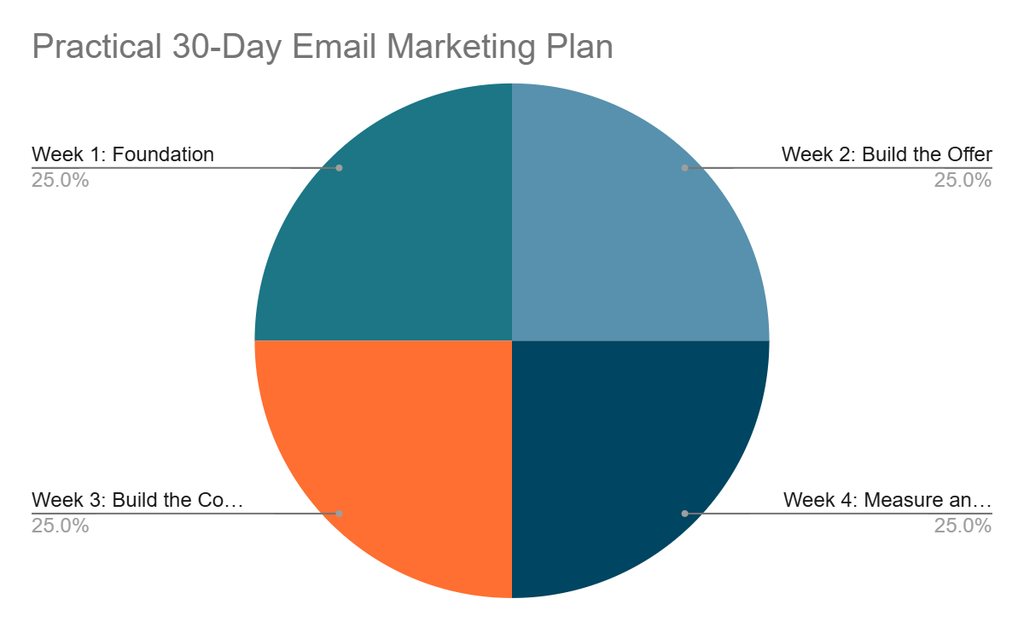
You do not need to build a complicated email marketing system in a single day. A structured 30-day rollout can help you create the basic infrastructure, attract your first subscribers, develop useful campaigns, and begin measuring results.
Days 1–3: Define Your Strategy
Start with the fundamentals.
Day 1: Define Your Audience
Write down:
- Who you want to reach
- Their main problems
- What they are trying to achieve
- What your business offers
- Why they should hear from you
Day 2: Set Your Email Marketing Goals
Choose measurable objectives.
Examples include:
- Generate qualified leads
- Sell a digital product
- Increase repeat purchases
- Promote educational content
- Improve customer retention
- Build an owned audience
Avoid choosing goals simply because they are easy to measure.
Day 3: Define Your Content Themes
Choose three to five recurring subjects that your subscribers will find useful.
For example, a business-focused website might use:
- AI tools
- Digital marketing
- Business growth
- Productivity
- Online business strategies
Days 4–7: Build the Foundation
Day 4: Choose Your Email Marketing Platform
Compare platforms according to:
- Audience size
- Budget
- Automation
- Integrations
- Forms
- Analytics
- Deliverability tools
Day 5: Create Your Signup Form
Build a simple form that explains:
What subscribers receive + how often they may hear from you + what they should expect
Avoid unnecessary fields.
Day 6: Create Your Lead Magnet
Give potential subscribers a useful reason to join.
Possible lead magnets include:
- Checklist
- Ebook
- Template
- Workbook
- Tutorial
- Resource guide
- Free tool
- Industry report
The lead magnet should be closely connected to what you eventually want to sell or promote.
Day 7: Configure Your Sending Infrastructure
Set up your sending domain and review the authentication requirements recommended by your email platform.
Where applicable, configure:
- SPF
- DKIM
- DMARC
Also check your sender name, reply-to address, business information, and unsubscribe settings.
Days 8–14: Build Your First Email Sequence
Day 8: Write Your Welcome Email
Thank subscribers for joining and deliver the promised resource.
Day 9: Write Email Two
Provide a useful lesson, tip, or resource related to the subscriber’s original reason for joining.
Day 10: Write Email Three
Address a common problem your audience faces and explain how to approach it.
Day 11: Write Email Four
Introduce a relevant product, service, article, tool, or case study.
Keep the message useful rather than turning the sequence into a series of advertisements.
Day 12: Write Email Five
Answer a common question or objection.
Day 13: Build the Automation
Connect your emails using appropriate triggers and delays.
Test every link and condition.
Day 14: Test the Entire Sequence
Subscribe using a test address and check:
- Delivery
- Formatting
- Links
- Personalization
- Mobile display
- Images
- Unsubscribe process
- Automation timing
Days 15–21: Start Growing Your List
Day 15: Publish Your Signup Offer
Place your signup form where relevant visitors can find it.
Potential locations include:
- Homepage
- Blog posts
- Resource pages
- Landing pages
- Relevant product pages
Day 16: Promote Your Lead Magnet
Introduce it through your existing channels.
For example:
- X
- YouTube
- Your website
- Online communities where promotion is permitted
Day 17: Create Your First Newsletter
Write one useful email that demonstrates what subscribers can expect from you.
Day 18: Create a Content Upgrade
Choose an important article and create a related downloadable resource.
For example:
Article: How to Build an Email List
Resource: Email List-Building Checklist
Day 19: Review Your Signup Process
Test the process from the visitor’s perspective.
Ask:
- Is the offer clear?
- Is the form easy to complete?
- Is the value obvious?
- Does the promised resource arrive?
- Is the confirmation process working?
Day 20: Create a Second Acquisition Channel
Do not rely on one source of subscribers.
For example, if your primary source is SEO, add social media promotion or a dedicated landing page.
Day 21: Review Your First Data
Look at available information such as:
- New subscribers
- Traffic sources
- Deliverability
- Clicks
- Unsubscribes
- Engagement
At this stage, focus on identifying problems rather than trying to draw conclusions from a small dataset.
Days 22–26: Improve Relevance and Automation
Day 22: Create Your First Segment
Separate subscribers using a meaningful characteristic.
For example:
Interested in AI tools
And Interested in digital marketing
Interested in business growth
Day 23: Create a Targeted Email
Send different content to at least one relevant segment rather than treating every subscriber identically.
Day 24: Build a Simple Nurture Sequence
Create a short sequence that educates subscribers about a problem and gradually introduces your solution.
Day 25: Create a Re-Engagement Plan
Define what you will do with subscribers who become inactive.
You might eventually:
- Send a re-engagement email.
- Ask whether they still want your content.
- Give them an opportunity to update preferences.
- Suppress or remove contacts according to your policies and applicable requirements.
Day 26: Review Your Automations
Check that every automation has:
- A clear trigger
- A logical sequence
- Appropriate timing
- Relevant content
- An exit condition where necessary
Days 27–30: Measure, Improve, and Plan Ahead
Day 27: Review Campaign Performance
Examine the metrics your platform provides.
Pay attention to:
- Delivery
- Bounces
- Clicks
- Unsubscribes
- Complaints
- Conversions
Do not judge the entire strategy using one metric.
Day 28: Identify Weak Points
Ask:
- Are people signing up?
- Are they receiving the promised content?
- Are they clicking?
- Are they converting?
- Are certain segments more engaged?
- Are subscribers leaving at a particular stage?
Use the answers to determine what needs improvement.
Day 29: Improve One Major Element
Choose one area for testing.
Examples:
- Signup offer
- Subject line
- Email structure
- Call to action
- Landing page
- Welcome sequence
- Segmentation
Changing one major variable at a time can make it easier to understand what influenced the result.
Day 30: Create Your Next 60-Day Plan
Your first month should establish the system, not finish the strategy.
Plan your next period around:
- Publishing frequency
- List growth
- New lead magnets
- Automated sequences
- Segmentation
- Promotional campaigns
- Customer retention
- Testing
- Performance reviews
Your 30-Day Email Marketing Roadmap at a Glance
| Period | Main Objective | Key Deliverables |
|---|---|---|
| Days 1–3 | Strategy | Audience, goals, content themes |
| Days 4–7 | Foundation | Platform, signup form, lead magnet, authentication |
| Days 8–14 | Automation | Welcome sequence and testing |
| Days 15–21 | List growth | Promotion, newsletter, acquisition channels |
| Days 22–26 | Optimization | Segmentation, nurturing, re-engagement |
| Days 27–30 | Measurement | Performance review, testing, next-stage plan |
Common Email Marketing Mistakes
1. Buying subscribers
Focus on people who actually want your content.
2. Sending the same message to everyone
Use segmentation when meaningful differences exist.
3. Promoting constantly
An audience that receives nothing except sales messages has little reason to remain engaged.
4. Collecting unnecessary personal information
Only collect what you genuinely need.
5. Ignoring unsubscribes
An unsubscribe is useful feedback about audience fit and expectations.
6. Failing to test emails
Check links, images, personalization, mobile layouts, and landing pages before sending.
7. Measuring vanity metrics
A large subscriber count does not automatically mean a successful email program.
8. Publishing unsupported claims
Avoid statements such as “this strategy will double your sales” unless you have credible evidence supporting the specific claim.
9. Treating every subscriber as a customer
A newsletter subscriber, qualified lead, customer, and inactive contact can have very different needs.
10. Creating too many automations
Start with the customer journeys that matter most.
An Email Marketing Framework for Small Businesses
A useful way to organize your entire system is:
1. Attract
Create useful content and offers that attract the right audience.
2. Capture
Give visitors a clear reason to subscribe.
3. Welcome
Set expectations and deliver immediate value.
4. Understand
Use relevant information to understand subscriber interests.
5. Educate
Help subscribers solve problems.
6. Convert
Present a relevant offer when there is a genuine fit.
7. Retain
Continue helping customers after conversion.
8. Measure
Track meaningful outcomes.
9. Improve
Use evidence from your campaigns to make the next version better.
This creates a complete system rather than a collection of isolated email campaigns.
Frequently Asked Questions
What is email marketing?
Email marketing is the use of email to communicate with subscribers, customers, prospects, or other authorized recipients for purposes such as education, customer communication, promotion, and relationship building.
How do I build an email list?
Start by defining your audience and creating a clear reason to subscribe. Then use relevant signup forms, landing pages, lead magnets, useful content, and other appropriate acquisition channels to attract subscribers.
Should I buy an email list?
A permission-based list is preferable to relying on purchased contacts. Purchased data can create relevance, deliverability, privacy, and compliance problems.
How large should my email list be?
There is no universal target. A useful list is one containing people who are relevant to your business and engaged with your communications.
How often should I send emails?
There is no single correct frequency. Choose a schedule that your audience can reasonably expect, and that allows you to consistently provide useful content.
What should my first email contain?
Welcome the subscriber, deliver anything you promised, explain what they can expect, and provide an appropriate next step.
What is email segmentation?
Segmentation means dividing subscribers into groups according to useful characteristics such as interests, customer status, behavior, or lifecycle stage.
What is email automation?
Automation uses predefined triggers and workflows to send appropriate emails based on subscriber or customer actions.
What email marketing metrics should I track?
Start with metrics connected to your objective, such as clicks, conversions, unsubscribes, leads, purchases, revenue, and delivery-related metrics.
Can AI be used for email marketing?
Yes. AI can assist with drafting, brainstorming, personalization, analysis, and workflow development. Human review remains important for accuracy, relevance, privacy, and quality.
Final Thoughts
Effective email marketing is not about collecting the largest possible database or sending the greatest number of campaigns. It is about building a relevant audience and earning its continued attention.
Start with a clear subscription promise. Give people something useful in exchange for joining. Welcome them properly. Send content that matches their interests. Segment your audience when it improves relevance. Automate repetitive customer journeys without making communication feel robotic. Then measure meaningful outcomes and improve the system based on evidence.
Most importantly, treat every email address as belonging to a real person rather than simply being another record in a database. That mindset leads to better marketing, better customer experiences, and a healthier email program.
About the Author
Mukthar Salam
He is the founder and author of MarketLiftAI. Mukthar is passionate about Business and Technology, since 2023 he has written over 100 articles covering AI Tools, Business Software, SaaS Platforms, Internet Services, Cybersecurity, Digital Marketing, Cloud Computing, Business Finance Tools and Online Business Services. Over the past 3 years. Mukthar has been building, analyzing, and Maintaining Websites for over 3 years and also shares his wealth of knowledge and experience on MarketLiftAI.
References and Official Sources
Email Marketing Laws and Data Protection Authorities
- Australian Communications and Media Authority (ACMA) Official Website guidance on spam, consent, marketing emails, and electronic messages.
- Canadian Radio-television and Telecommunications Commission (CRTC) Official Website information about Canada’s Anti-Spam Legislation (CASL), consent, identification, and unsubscribe requirements.
- Federal Trade Commission (FTC) Official Website information about the CAN-SPAM Act and commercial email requirements.
- European Commission Official Website information about the General Data Protection Regulation (GDPR), personal data, and business obligations.
- EUR-Lex Official Website database containing the text of Regulation (EU) 2016/679 (GDPR).
- Information Commissioner’s Office (ICO) Official Website guidance on direct marketing, electronic mail marketing, PECR, consent, and unsubscribe requirements.
- Nigeria Data Protection Commission (NDPC) Official Website source for Nigeria’s data protection framework, privacy rights, and compliance information.
- South African Government Official Website — Protection of Personal Information Act (POPIA) source for the Protection of Personal Information Act and related requirements, including unsolicited electronic communications.
- Office of the Data Protection Commissioner (ODPC) Official Website: information about Kenya’s data protection framework, data controllers, data processors, and individual rights.
- Personal Data Protection Commission (PDPC) Official Website: source for Singapore’s Personal Data Protection Act, data protection guidance, and compliance information.
- Personal Information Protection Commission (PPC) Official Website: Japanese authority responsible for personal information protection and related privacy matters.
- Saudi Data and Artificial Intelligence Authority (SDAIA) Official Website: source for Saudi Arabia’s Personal Data Protection Law, implementing regulations, and related guidance.
- UAE Government Official Website — Personal Data Protection Law — information about the federal Personal Data Protection Law and data protection requirements.
Email Marketing Platforms
- Mailchimp Official Website: Email marketing, automation, audience management, and campaign tools.
- Brevo Official Website: Email marketing, marketing automation, CRM, and customer communication tools.
- Kit Official Website: Email marketing, newsletters, automation, landing pages, and creator-focused audience tools.
- ActiveCampaign Official Website: Email marketing, marketing automation, CRM, and customer experience tools.
- MailerLite Official Website: Email marketing, automation, newsletters, websites, and landing pages.
- HubSpot — Official Website: Marketing automation, email marketing, CRM, and customer engagement tools.
- Klaviyo Official Website: Email and SMS marketing, automation, analytics, and customer data tools.
- GetResponse Official Website: Email marketing, automation, landing pages, webinars, and marketing tools.
- Constant Contact Official Website: Email marketing, automation, contact management, and digital marketing tools.
- Omnisend Official Website: Email, SMS, automation, and customer marketing tools for e-commerce businesses.
- Beehiiv Official Website: Newsletter publishing, email marketing, audience growth, and monetization tools.