

Introduction
Business process mapping has become an essential strategy for organizations that want to improve efficiency, reduce operational problems, and remain competitive in today’s fast-changing business environment. As industries become more digital and customer expectations continue to rise, businesses that fail to streamline their workflows often experience communication breakdowns, operational delays, rising costs, and inconsistent performance. Over time, these inefficiencies can weaken productivity and limit long-term growth.
At its foundation, business workflow mapping provides a visual representation of how tasks, workflows, and business activities move through an organization. Rather than relying on assumptions or disconnected information, businesses gain a complete view of how work is actually performed from beginning to end. This level of visibility allows organizations to identify inefficiencies, remove unnecessary steps, improve accountability, and optimize performance more effectively.
Without proper process flow management, many companies operate reactively instead of strategically. Teams spend more time fixing recurring issues than improving systems that prevent those issues from happening in the first place.
For small businesses, operational process mapping creates structure, consistency, and operational clarity. It helps teams standardize tasks, reduce confusion, and improve daily productivity. For larger enterprises, business process mapping helps align departments, improve collaboration, and maintain consistency across complex operations.
By implementing business workflow analysis, organizations can streamline customer-facing workflows, reduce service delays, improve response times, and deliver more reliable customer experiences. Beyond improving workflows, business process mapping also supports:
- Operational transparency
- Team accountability
- Process automation
- Compliance management
- Performance optimization
- Cost reduction
- Strategic decision-making
This guide, you will not only understand the importance of business process mapping but also learn how to use it strategically to improve productivity, streamline operations, reduce costs, and build a stronger foundation for long-term business success.
What is Business Process Mapping?
Definition: Business Process Mapping
Process optimization mapping is the visual representation of a business process, showing each step, decision point, and workflow involved in completing a task. It typically uses diagrams, charts, or flowcharts to illustrate how processes work from start to finish.
At its core, business process mapping helps organizations understand how work gets done. It breaks down complex operations into manageable steps, making it easier to analyze and improve.
Business workflow mapping diagram often includes:
- Inputs and outputs
- Tasks and activities
- Decision points
- Roles and responsibilities
By using process flow management, businesses can gain clarity, improve communication, and ensure consistency across operations.
Why Business Process Mapping Matters in 2026
In 2026, businesses operate in an environment shaped by digital transformation, remote work, and increasing customer expectations. This makes operational process mapping a critical tool for success.
Here’s why business process mapping matters now more than ever:
1. Supports Automation and AI Integration
Modern tools rely on clearly defined processes. Business workflow analysis ensures workflows are structured and ready for automation.
2. Enhances Remote Collaboration
With distributed teams, Process optimization mapping provides a shared visual understanding of workflows.
3. Improves Decision-Making
Leaders can use business workflow mapping to identify bottlenecks and make data-driven decisions.
4. Drives Efficiency
By eliminating redundancies, process flow management helps businesses operate.
5. Aligns with BPM Frameworks
If you’ve ever wondered, what are the 5 stages of BPM? They include design, modeling, execution, monitoring, and optimization—and operational process mapping plays a key role in each stage.
Types of Business Process Mapping You Should Know
Understanding different types of business workflow analysis is essential for choosing the right approach.
Flowcharts
They are the most common form of process optimization mapping. And use simple symbols like rectangles, diamonds, and arrows to represent steps and decisions. They are ideal for:
- Simple workflows
- Beginner-level business process mapping
- Quick visualization
Swimlane Diagrams
They diagrams organize processes into lanes based on roles or departments. This type of business workflow mapping clearly shows who is responsible for each task. Benefits include:
- Improved accountability
- Clear role separation
- Better team collaboration
Value Stream Mapping
Value stream mapping focuses on delivering value to customers. This advanced form of process flow management identifies waste and inefficiencies.
It is widely used in:
- Lean management
- Manufacturing
- Service optimization
SIPOC Diagrams
It Stands for Suppliers, Inputs, Process, Outputs, and Customers. This high-level operational process mapping method provides a broad overview of a process. It is useful for:
- Defining scope
- Understanding process boundaries
- Strategic planning
5 Easy Step-by-Step Guide to Business Process Mapping
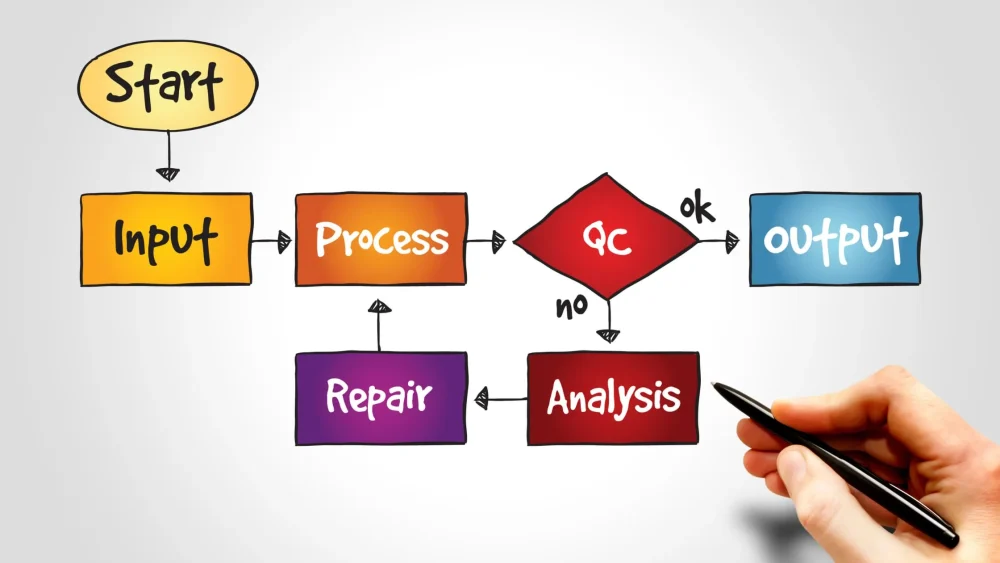
This section is the heart of your guide. To get real value from business workflow analysis, you need more than just drawing diagrams—you need a structured approach that ensures accuracy, clarity, and measurable improvement. Below is a detailed breakdown of each step, including practical insights and best practices to help you move from beginner to pro.
1. Identify the Process to Map
The first and most important step in process optimization mapping is choosing the right process to analyze. Not every process needs immediate attention, so focusing on the right one ensures your efforts produce meaningful results.
Start by identifying processes that have the biggest impact on your business performance. These are typically workflows that directly affect revenue, customer experience, or operational efficiency. Focus on:
- High-impact processes – These include sales, order fulfillment, customer support, and billing. Improving these areas through business process mapping can deliver immediate value.
- Problematic workflows – Look for processes with frequent errors, delays, or complaints. These are strong candidates for improvement.
- Customer-facing operations – Any process that directly affects the customer experience should be prioritized.
For example, if customers frequently complain about delayed deliveries, mapping your order fulfillment process using business workflow mapping can help identify where the delays are happening.
It’s also important to define the boundaries of the process. Ask:
- Where does the process start?
- Where does it end?
Clearly defining this ensures your business process mapping remains focused and actionable rather than overwhelming.
2. Define Objectives and Scope
Once you’ve selected the process, the next step in business process mapping is to clearly define your objectives and scope. Without clear goals, your process map may look good visually but fail to deliver real improvements. Start by asking key questions:
- What problem are we trying to solve?
- What outcome do we want to achieve?
- How will we measure success?
Your objectives should be specific and measurable. For example:
- Reduce processing time by 30%
- Eliminate duplicate tasks
- Improve customer response time
Defining scope is equally important. Scope determines how detailed your process flow management will be. If your scope is too broad, the process becomes complex and difficult to manage. If it’s too narrow, you may miss important insights.
A good approach is to start small—focus on a single workflow or department. As you gain experience with business process mapping, you can expand to more complex processes.
3. Gather Relevant Data
Accurate data is the foundation of effective operational process mapping. If your data is incomplete or incorrect, your process map will not reflect reality, leading to poor decisions.
This step involves collecting detailed information about how the process currently works—not how it should work, but how it actually operates in real life. Common data collection methods include:
- Interviews – Speak with employees who are directly involved in the process. They often have valuable insights into inefficiencies and hidden challenges.
- Observations – Watch the process in action to understand real workflows and identify gaps between theory and practice.
- Reviewing documents – Analyze existing procedures, reports, and records to gather structured information.
During this stage, it’s important to involve multiple stakeholders. Different team members may have different perspectives on the same process, and combining these insights leads to more accurate business workflow analysis.
You should also document:
- Time taken for each step
- Tools or systems used
- Dependencies between tasks
This level of detail ensures your process optimization mapping is comprehensive and reliable.
4. Create the Process Map
This is where your business process mapping becomes visual. Using the data you’ve gathered, you now create a diagram that represents the entire workflow.
A well-designed business process mapping diagram should clearly show:
- Each step in the process
- Decision points
- Flow of activities
- Roles and responsibilities
You can create your map using modern tools such as:
- Lucidchart
- Microsoft Visio
- Miro
These tools make business process mapping easier by providing templates, drag-and-drop features, and collaboration capabilities.
If you’re starting, using a business process mapping template can save time and ensure consistency. Templates help you follow standard formats and avoid common mistakes. When creating your map, keep these best practices in mind:
- Use simple and clear symbols
- Avoid unnecessary complexity
- Ensure logical flow from start to end
- Label each step clearly
Remember, the goal of business process mapping is clarity. Anyone looking at the diagram should be able to understand the process without confusion.
5. Analyze and Optimize the Process
The final and most valuable step in business process mapping is analysis and optimization. This is where you turn your visual map into actionable improvements. Once your process is mapped out, carefully examine it to identify inefficiencies and opportunities for improvement. Look for:
- Bottlenecks – Steps where work slows down or piles up
- Delays – Activities that take longer than necessary
- Redundant steps – Tasks that do not add value and can be removed
- Manual processes – Areas that could be automated
Ask critical questions:
- Can any steps be eliminated?
- Can tasks be combined or simplified?
- Can technology improve this process?
This is also where business process mapping tools can play a role, as many provide analytics and simulation features to test improvements.
After identifying issues, redesign the process to make it more efficient. This may involve:
- Removing unnecessary steps
- Automating repetitive tasks
- Reassigning responsibilities
- Introducing new tools or systems
Once improvements are implemented, monitor the process to ensure the changes are effective. Business process mapping is not a one-time activity—it is a continuous cycle of improvement.
Final Thought on the 5 Steps
When followed correctly, these five steps transform business process mapping from a simple diagramming exercise into a powerful business improvement strategy. Each step builds on the previous one, creating a structured approach that leads to measurable results.
By consistently applying this step-by-step method, businesses can:
- Improve efficiency
- Reduce costs
- Enhance customer experience
- Scale operations effectively
Mastering this process is what separates organizations that merely document workflows from those that truly optimize and grow through business process mapping.
How to Get Real Business Results from Process Mapping

Common Mistakes to Avoid
Even with the best intentions, business process mapping can fail if done incorrectly.
Avoid these mistakes:
- Overcomplicating diagrams
- Ignoring team input
- Failing to update maps
- Not aligning with business goals
Tips for Implementation
To maximize the impact of business process mapping, follow these best practices:
- Keep diagrams simple and clear
- Involve stakeholders
- Use standardized symbols
- Continuously review and improve
Tools for Process Mapping
Modern business process mapping tools make the process faster and more efficient. Popular options include:
- Lucidchart
- Microsoft Visio
- Miro
These tools simplify business process mapping and enable collaboration.
Real-World Benefits
Organizations that use business process mapping effectively experience:
- Faster operations
- Reduced errors
- Improved customer satisfaction
- Better scalability
Benefits of Business Process Mapping
When implemented correctly, business process mapping goes far beyond drawing diagrams—it becomes a strategic tool that drives performance, clarity, and long-term growth. Below are the key benefits explained in detail, along with how they impact real business operations.
Improved Efficiency
One of the most immediate and noticeable benefits of business process mapping is improved efficiency. Many businesses operate with hidden inefficiencies—unnecessary steps, duplicated tasks, unclear responsibilities, or outdated procedures. These issues often go unnoticed until they are visualized.
With business process mapping, every step in a workflow is laid out clearly. This visibility allows you to:
- Identify redundant or non-value-adding activities
- Eliminate unnecessary approvals or delays
- Simplify complex workflows
Reduce time spent on repetitive tasks
For example, a company might discover through business process mapping that a task requires approval from three different managers when only one is necessary. By removing the extra approvals, the process becomes faster and more efficient.
Over time, these small improvements compound, leading to significant gains in productivity. Teams can complete tasks more quickly, meet deadlines more consistently, and focus on high-value activities instead of wasting time on inefficient processes.
Better Communication
Another major advantage of business process mapping is improved communication across teams and departments. In many organizations, misunderstandings arise because people have different interpretations of how a process works.
Business process mapping solves this problem by creating a shared visual representation of workflows. Instead of relying on verbal explanations or written instructions, team members can see exactly how a process flows from start to finish. This leads to:
- Clear understanding of roles and responsibilities
- Reduced confusion and miscommunication
- Better collaboration between departments
- Faster onboarding for new employees
For instance, in a cross-functional team, business process mapping can clearly show where one department’s responsibility ends and another begins. This eliminates overlap and ensures accountability.
Additionally, when everyone is aligned, decision-making becomes faster and more effective. Teams spend more time carrying out tasks than they do explaining them.
Cost Reduction
Reducing costs is a top priority for any business, and business process mapping plays a crucial role in achieving this goal. Inefficient processes often lead to wasted time, resources, and money.
By using business process mapping, businesses can identify areas where costs are unnecessarily high, such as:
- Rework caused by errors or miscommunication
- Excessive manual tasks that could be automated
- Delays that increase operational expenses
- Overstaffing in certain process stages
Once these inefficiencies are identified, organizations can take corrective action. For example, automating repetitive tasks or removing redundant steps can significantly lower operational costs.
Another important aspect is error reduction. Mistakes can be expensive, especially in areas like finance, logistics, or customer service. Business process mapping helps standardize workflows, reducing the likelihood of errors and the costs associated with fixing them.
In the long run, consistent use of business process mapping leads to leaner operations and better resource allocation.
Scalability
As businesses grow, processes naturally become more complex. Without proper structure, this growth can lead to confusion, inefficiency, and operational breakdowns. This is where business process mapping becomes essential for scalability.
Business process mapping ensures that processes are clearly documented and standardized. This makes it easier to:
- Replicate successful workflows
- Train new employees quickly
- Maintain consistency across teams and locations
- Adapt processes as the business expands
For example, a startup that uses business process mapping early on can scale more smoothly because its processes are already defined and optimized. Instead of reinventing workflows at every stage of growth, the business can simply refine and expand existing ones.
Scalability also involves flexibility. As market conditions change, businesses need to adapt quickly. With business process mapping, it becomes easier to update and improve processes without disrupting operations.
Additional Strategic Benefits
Beyond the core advantages, business process mapping also provides several long-term strategic benefits:
- Improved decision-making: Leaders gain better insights into operations, enabling data-driven decisions.
- Enhanced compliance: Clearly documented processes help meet regulatory requirements.
- Stronger customer experience: Streamlined workflows lead to faster and more consistent service delivery.
- Foundation for automation: Well-mapped processes are easier to automate using modern technologies.
Final Insight
The true value of business process mapping lies in its ability to bring clarity to complexity. It transforms scattered workflows into structured systems that are easier to manage, optimize, and scale.
By consistently applying business process mapping, businesses can improve efficiency, strengthen communication, reduce costs, and build a solid foundation for growth. These benefits are not just short-term wins—they create lasting improvements that position organizations for long-term success in an increasingly competitive environment.
Tools for Process Mapping in 2026
Choosing the right tools is essential for effective business process mapping. While the principles of mapping processes remain the same, modern tools have transformed how businesses create, share, and optimize workflows. In 2026, the best business process mapping tools are cloud-based, collaborative, and often enhanced with automation and AI capabilities.
The right tool doesn’t just help you draw diagrams—it enables teams to collaborate in real time, integrate with other systems, and continuously improve processes. Below is a detailed look at some of the most popular tools used for business process mapping today.
Lucidchart – Simple, Flexible, and User-Friendly
It is widely recognized as one of the easiest tools for business process mapping, making it a top choice for beginners and growing businesses. Its clean interface and intuitive design allow users to quickly create professional-looking diagrams without any technical background.
Key Features:
- Ready-made templates for quick business process mapping diagrams
- Real-time collaboration for teams working together
- Seamless integration with platforms like Google Workspace and Slack
- Cloud-based access for working from anywhere
Why It Stands Out:
Lucidchart removes the complexity from business process mapping, allowing teams to focus on improving workflows rather than struggling with the tool itself.
Best For:
- Beginners
- Small and medium-sized businesses
- Teams that want fast and simple visualization
Microsoft Visio – Powerful and Detail-Oriented
It is a professional-grade tool built for handling complex and detailed business process mapping tasks. It has long been trusted by enterprises for its precision and advanced capabilities.
Key Features:
- Robust diagramming tools for detailed workflows
- Large collection of shapes and templates
- Integration with the Microsoft Office ecosystem
- Ability to connect diagrams with real data
Why It Stands Out:
Visio excels in creating structured and highly detailed business process mapping visuals, making it ideal for organizations that require accuracy and standardization.
Best For:
- Large organizations
- Business analysts and process specialists
- Teams handling complex workflows
Miro – Built for Team Collaboration
It has become increasingly popular with the rise of remote and hybrid work. It offers an interactive digital workspace where teams can collaborate on business process mapping in real time.
Key Features:
- Unlimited canvas for brainstorming and mapping
- Live collaboration with team members
- Interactive tools like sticky notes and comments
- Integration with productivity and project management platforms
Why It Stands Out:
Unlike traditional tools, Miro makes business process mapping more dynamic and engaging, especially for teams that need to collaborate across different locations.
Best For:
- Remote and hybrid teams
- Creative and brainstorming sessions
- Agile teams working on fast-paced projects
Bizagi – Advanced and Enterprise-Focused
It is designed for organizations that want more than just diagrams. It combines business process mapping with automation and performance optimization, making it a powerful solution for enterprise environments.
Key Features:
- Full support for BPMN standards
- Automation tools for streamlining workflows
- Simulation features to test process performance
- Integration with enterprise systems
Why It Stands Out:
Bizagi goes beyond visualization by enabling businesses to automate and optimize processes, making it a complete solution for advanced business process mapping.
Best For:
- Large enterprises
- Organizations undergoing digital transformation
- Teams focused on automation and efficiency
How to Choose the Right Tool for Business Process Mapping
With so many options available, choosing the best tool for business process mapping depends on your specific requirements. Here are some important factors to consider:
1. Ease of Use
If you’re new to business process mapping, start with a simple and intuitive tool like Lucidchart.
2. Complexity of Processes
For more detailed and technical workflows, tools like Microsoft Visio or Bizagi offer greater capabilities.
3. Collaboration Requirements
If your team works remotely or across multiple locations, Miro is an excellent choice for collaborative business process mapping.
4. Budget Considerations
Some tools offer free plans, while others require subscriptions. Choose one that provides the best value for your needs.
5. Integration with Existing Systems
Ensure the tool can connect with your current software, such as CRM systems or project management platforms.
Final Thoughts on Process Mapping Tools
In 2026, the effectiveness of business process mapping depends not only on your approach but also on the tools you use. The right software can turn a simple diagram into a powerful system for collaboration and continuous improvement.
Whether you are just getting started or managing complex workflows, tools like Lucidchart, Microsoft Visio, Miro, and Bizagi provide the features needed to succeed. By selecting the right platform and using it effectively, you can elevate your business process mapping efforts and drive meaningful business growth.
Real-Life Examples of Business Process Mapping

Customer Order Process
A practical example of business process mapping can be seen in how companies manage their order fulfillment systems. A typical workflow includes:
- Receiving the order
- Processing payment
- Checking product availability
- Shipping the order
- Delivering to the customer
By applying business process mapping, businesses can identify delays or inefficiencies in this workflow and make improvements that lead to faster delivery and higher customer satisfaction.
Employee Onboarding Workflow
Another common use case for business process mapping examples is employee onboarding. This process often includes:
- Collecting employee documents
- Conducting training sessions
- Setting up system access
When organizations use business process mapping for onboarding, they can standardize the process, reduce delays, and ensure new employees have a smooth and consistent experience.
By applying these tools and examples, business process mapping becomes more than just a concept—it becomes a practical strategy for improving how businesses operate every day.
Conclusion
At its core, business process mapping provides the structure and clarity businesses need to operate effectively in an increasingly complex environment. It allows organizations to move away from guesswork and reactive problem-solving toward a more strategic, data-driven approach. By clearly visualizing workflows, businesses can understand how their operations function, identify inefficiencies, and implement targeted improvements that deliver real results.
Throughout this guide, you’ve learned that business process mapping is not just about creating diagrams—it’s about transforming the way your business operates. From identifying the right processes to map to defining clear objectives, gathering accurate data, and creating detailed visual workflows, every step contributes to building a stronger, more efficient organization.
More importantly, you now understand how to analyze and optimize processes using business process mapping, turning insights into actionable improvements. When done correctly, business process mapping helps eliminate bottlenecks, reduce delays, minimize errors, and improve overall productivity.
Selecting the appropriate instruments is another important lesson. Modern solutions like Lucidchart, Microsoft Visio, Miro, and Bizagi make it easier than ever to implement business process mapping effectively. These tools not only simplify the mapping process but also enable collaboration, automation, and continuous improvement.
Whether you’re optimizing a single workflow or transforming your entire organization, business process mapping provides a clear roadmap for success. It ensures that your processes are not only efficient but also scalable, allowing your business to grow without losing structure or control.
In the end, business process mapping is a strategic advantage rather than only a tool. By applying the principles and steps outlined in this guide, you can build a solid foundation for sustainable growth, improved performance, and long-term success in 2026 and beyond.