

To manage multiple projects at once isn’t simply about keeping more tasks on a calendar. As the number of projects increases, so do competing deadlines, shared resources, dependencies, stakeholder expectations, approvals, risks, and decisions. That is why managing multiple projects is fundamentally a systems problem.
A project manager, business owner, freelancer, agency, or team leader may be responsible for a website redesign, marketing campaign, software implementation, client project, product launch, and internal improvement initiative at the same time. Each project may look manageable on its own. The difficulty appears when they compete for the same people, budget, information, equipment, or management attention.
This guide explains how to manage multiple projects using a practical framework covering prioritization, capacity planning, scheduling, dependencies, delegation, communication, risk management, automation, performance measurement, and continuous improvement.
The goal is not to keep every project moving at maximum speed. The goal is to create a system in which the right work moves forward at the right time with realistic resources and clear accountability.
Written by Mukthar Salam
Last reviewed: October 2026
What Is a Project?
Before discussing how to manage multiple projects, it helps to understand what makes something a project. A project is a temporary effort undertaken to achieve a defined objective or deliverable. Unlike ongoing operational work, a project has a beginning, a planned outcome, and an endpoint.
Examples include:
- Developing a mobile application
- Launching a product
- Redesigning a website
- Running a marketing campaign
- Opening a new business location
- Implementing business software
- Migrating data
- Introducing a new business process
- Conducting employee training
- Producing a major research report
A project normally has several interconnected components:
- Objective
- Scope
- Deliverables
- Schedule
- Budget
- Resources
- Stakeholders
- Dependencies
- Risks
- Quality requirements
- Acceptance criteria
These components matter because changing one can affect the others. For example, adding three new features to a software project may increase the scope. That may require more development time, additional testing, higher costs, and changes to the launch date.
This is why project planning is not simply creating a list of tasks. It is understanding the relationships between scope, time, cost, resources, risk, and quality.
Why Project Planning Matters When You Manage Multiple Projects
Managing one project without a plan can be difficult. Managing several projects without a shared system quickly becomes chaotic. Good planning gives you a structured way to understand:
- What needs to be delivered
- Who is responsible
- When work needs to happen
- Which tasks depend on other tasks
- Which resources are limited
- What could cause delays
- Which deadlines are fixed
- Which deadlines can move
- How changes affect other work
The value becomes even greater when people are shared across projects. Microsoft’s project-management documentation, for example, describes the use of centralized resource information to identify assignment conflicts and understand how people are allocated across projects.
The Core Elements of a Well-Planned Project
1. Objective
What is the project supposed to accomplish?
A useful objective should describe an outcome rather than simply an activity. Instead of: Redesign the website. Use: Launch a redesigned website that improves navigation, clarifies the company’s services, and meets the approved launch requirements.
2. Scope
Scope defines what the project includes and excludes. This distinction is critical because uncontrolled additions can create scope creep.
3. Deliverables
Deliverables are the tangible or measurable outputs the project must produce. Examples include:
- Website
- Report
- Software release
- Campaign
- Training program
- Product prototype
4. Schedule
The schedule identifies when work is expected to happen and which milestones must be achieved.
5. Resources
Resources may include:
- Employees
- Contractors
- Equipment
- Software
- Facilities
- Budget
- Specialist expertise
6. Risks
Risks are uncertain events or conditions that could affect the project.
7. Stakeholders
Stakeholders include people who fund, approve, use, influence, or are affected by the project. A strong project plan connects these elements instead of treating them as separate administrative documents.
What Is Multi-Project Management?
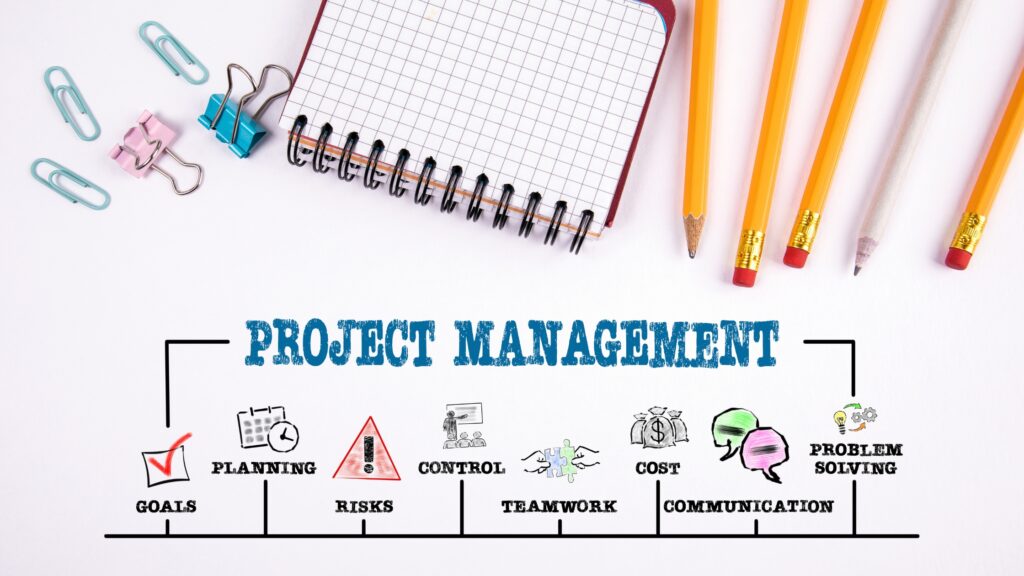
Managing multiple projects requires coordinated planning, prioritization, execution, monitoring, and control of several projects that compete for organizational resources, attention, or time. It is different from simply assigning several projects to one person.
The central challenge is that projects rarely operate independently. For example:
- A website project may depend on the branding team.
- The branding team may also support a product launch.
- The product launch may depend on software development.
- Software development may depend on a third-party vendor.
- The marketing campaign may depend on the final product features.
One delay can therefore spread across several projects. This is where multi-project management becomes closely related to project portfolio management.
PMI describes portfolio management as managing collections of projects, programs, and other work in alignment with strategic objectives, including decisions about prioritization and resource allocation. In simple terms:
Project management asks: How do we deliver this project successfully?
Multi-project management asks: How do we coordinate several projects without their competing demands undermining delivery?
Portfolio management asks: Are we working on the right collection of initiatives given our strategy, capacity, risks, and resources? That distinction is important.
Why Managing Multiple Projects Is Difficult
The difficulty usually does not come from the number of project names on a dashboard. It comes from competition for limited capacity. Several projects may need the same:
- Developer
- Designer
- Salesperson
- Subject-matter expert
- Manager
- Budget
- Vendor
- Approval authority
- Technical environment
- Customer
- Meeting time
A project may also have a deadline that looks reasonable until you discover that its most important task depends on another team that is already overloaded. This creates several common problems.
Competing Priorities
When everything is labeled urgent, teams cannot distinguish what should happen first.
Shared Resources
The same employee may be assigned to several projects simultaneously.
Cross-Project Dependencies
A deliverable in one project may be required by another.
Context Switching
People may repeatedly move between unrelated tasks, reducing the amount of uninterrupted attention available to each task.
Scope Changes
New requirements can consume capacity that was originally allocated to other work.
Stakeholder Pressure
Different stakeholders may consider their own project the highest priority.
Limited Management Attention
A manager cannot spend unlimited time reviewing every task in every project. The solution is not to work harder indefinitely. Instead, create visibility, prioritization, capacity limits, and decision rules.
The Framework on How to Manage Multiple Projects
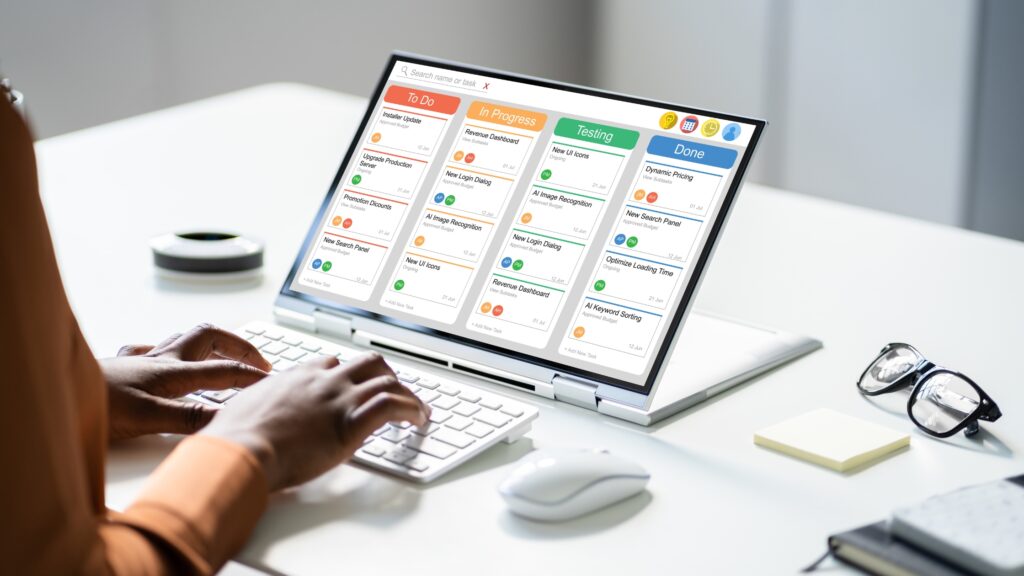
A practical system for managing multiple projects can be organized into eight stages:
- Inventory the work
- Clarify objectives
- Prioritize projects
- Plan capacity
- Map dependencies
- Build an integrated schedule
- Run a regular execution and review cycle
- Measure and improve the system
Each stage solves a different problem.
1. Create One Master View of All Projects
The first step is to stop managing each project as an isolated island. Create a master project register containing every active and proposed project. At minimum, include:
| Field | Purpose |
| Project | Identifies the initiative |
| Owner | Establishes accountability |
| Objective | Defines the intended outcome |
| Priority | Indicates relative importance |
| Start date | Shows planned commencement |
| Deadline | Shows required delivery |
| Status | Indicates current condition |
| Budget | Shows financial commitment |
| Key resources | Identifies critical people or assets |
| Dependencies | Shows relationships with other work |
| Major risk | Highlights the biggest threat |
| Next milestone | Shows the next meaningful outcome |
| Decision needed | Identifies unresolved management issues |
This single view becomes the foundation for managing multiple projects.
Instead of asking: “What am I supposed to work on today?” you can ask: “What work across the entire portfolio requires attention, and what is the consequence of delaying it?”
Modern portfolio tools increasingly provide this kind of consolidated visibility. Microsoft Planner’s current portfolio functionality, for example, can provide a cross-plan view of progress, dates, owners, status, and roadmap information.
2. Define the Outcome of Every Project
Do not allow projects to exist simply because someone requested them. Every project should have a clearly stated purpose. Ask:
- What problem are we solving?
- What outcome are we trying to achieve?
- Who benefits?
- What does successful completion look like?
- How will we know the project is finished?
- What is outside the scope?
A useful project statement might be: “Launch the new customer portal by November 30 so existing customers can manage their accounts online without requiring routine support assistance.” That is much more useful than: “Build customer portal.”
The first statement gives the team a reason, outcome, deadline, and context for decision-making.
3. Prioritize Projects Instead of Treating Everything as Urgent
One of the most important principles for managing multiple projects is accepting that not every project can get maximum attention at once. If ten projects are all labeled “high priority,” the label provides little useful information.
A better approach is to establish explicit criteria. Consider:
Strategic alignment
Does the project directly support an important business objective?
Customer impact
How significantly will the project affect customers?
Financial impact
What revenue, cost reduction, or financial exposure is associated with it?
Deadline sensitivity
What happens if the deadline is missed?
Risk
Could delay create regulatory, operational, security, contractual, or reputational consequences?
Dependencies
Will delaying this project prevent other important work from progressing?
Resource requirements
Does the project require scarce expertise or shared resources?
Opportunity cost
What other work will be delayed if this project receives additional resources? This approach is more useful than prioritizing purely by who is asking the loudest.
PMI’s portfolio-management literature emphasizes the need to select, prioritize, and coordinate projects while accounting for strategic alignment and limited resources.
4. Separate Importance From Urgency
A project can be strategically important without being immediately urgent. Likewise, a task can be urgent without being particularly valuable. For example:
| Work | Importance | Urgency |
| Security vulnerability requiring immediate remediation | High | High |
| Strategic website redesign | High | Medium |
| Routine report formatting | Low | Medium |
| Optional internal presentation | Low | Low |
This distinction prevents the organization from allowing every incoming request to disrupt planned work. A useful question is: If we do not do this now, what happens? The answer helps reveal whether the work is genuinely urgent or merely visible.
5. Plan Capacity Before Assigning More Work
A common multi-project mistake is planning projects first and checking resource availability afterward.
Reverse the process.
Before committing to a deadline, determine whether the required capacity actually exists. Capacity planning should consider:
- Number of available employees
- Working hours
- Existing assignments
- Meetings
- Holidays
- Leave
- Training
- Specialist skills
- Vendor availability
- Expected interruptions
- Support responsibilities
- Other operational work
A person who works eight hours per day does not necessarily have eight hours available for project tasks. A portion of their time may already be committed to:
- Meetings
- Customer support
- Administration
- Management responsibilities
- Maintenance
- Operational emergencies
Therefore, capacity should be based on realistic availability, not theoretical working hours. Microsoft’s documentation specifically notes that shared resource pools can help identify conflicts when the same resources are assigned to multiple projects.
6. Identify Bottlenecks and Scarce Skills
Some resources create more constraints than others. Imagine five projects all require the same cybersecurity specialist. You do not have five independent schedules. You have one constrained resource whose availability affects five schedules. Identify these bottlenecks early. Typical bottlenecks include:
- Senior developers
- Designers
- Technical architects
- Legal reviewers
- Finance approvers
- Executives
- Specialized contractors
- Testing teams
- Customer decision-makers
Then ask: Which project should receive this resource first? That decision should be based on agreed priorities rather than whoever requests the resource first.
7. Break Each Project Into Milestones
Large projects are difficult to monitor because completion may be months away. Milestones create intermediate points that make progress visible. For example:
Website Project
- Requirements approved
- Information architecture completed
- Design approved
- Development completed
- Content migrated
- Testing completed
- Client acceptance
- Launch
Milestones should represent meaningful outcomes rather than simply large numbers of tasks. A useful milestone answers: What meaningful result should exist by this date?
8. Build an Integrated Master Schedule
A separate schedule for every project is useful for detailed execution, but it does not provide enough visibility when projects share resources or dependencies. Create an integrated schedule containing:
- Major project deadlines
- Key milestones
- Shared resources
- Cross-project dependencies
- Approval dates
- Customer commitments
- Vendor deliveries
- Major meetings
- Risk checkpoints
The purpose is not to put every individual task into one giant spreadsheet. The purpose is to see how projects interact. Microsoft’s documentation describes master projects, subprojects, shared resource pools, and cross-project dependencies as mechanisms for managing related projects together.
9. Map Dependencies Explicitly
A dependency exists when one task or deliverable relies on another task or deliverable. Examples include:
- Development depends on design approval.
- Advertising depends on product availability.
- Publication depends on legal review.
- Deployment depends on testing.
- Customer onboarding depends on account configuration.
Atlassian identifies common dependency relationships such as finish-to-start, start-to-start, finish-to-finish, and start-to-finish. For practical multi-project management, the most important question is: What work cannot start or finish until something else happens?
Create a dependency register:
| Dependency | Owner | Required by | Status | Risk |
| Design approval | Design lead | Development | Pending | Medium |
| API delivery | Vendor | Testing | On track | High |
| Legal review | Legal team | Publication | Pending | Medium |
Review these dependencies during your weekly project review. A dependency that is not visible is often a future delay waiting to happen.
10. Create a Realistic Schedule
A deadline should not be created simply because it sounds desirable. A realistic schedule considers:
- Work required
- Team capacity
- Dependencies
- Review cycles
- Approval time
- Vendor lead time
- Holidays
- Known risks
- Rework
- Testing
- Contingency
For example, if a five-day task requires external approval before the next stage can begin, the schedule should not assume that approval happens instantly. Build the actual workflow.
Use buffers intelligently
A buffer is not permission to work inefficiently. It is protection against uncertainty. Use larger buffers around activities with:
- External dependencies
- Uncertain requirements
- New technology
- Third-party vendors
- Complex approvals
- High levels of customer involvement
11. Use Time Blocking for Personal Execution
Multi-project management becomes difficult when a manager spends the entire day responding to whatever appears next. Time blocking creates deliberate periods for important work. A simple schedule might look like:
| Time | Focus |
| 8:00–8:30 | Portfolio review |
| 8:30–10:30 | Project A deep work |
| 10:30–11:00 | Communication |
| 11:00–12:30 | Project B |
| 1:30–2:30 | Stakeholder meetings |
| 2:30–4:00 | Project C |
| 4:00–4:30 | Risk and task review |
The exact schedule will differ by role. The principle is to reserve attention for important work instead of allowing every notification to determine your priorities.
12. Reduce Context Switching
Managing multiple projects does not mean constantly switching between them. There is an important distinction between managing multiple projects and working on multiple unrelated tasks at the same time. Try to group similar work. For example:
- Review project reports together.
- Handle routine email during designated periods.
- Schedule stakeholder meetings together where practical.
- Group administrative tasks.
- Reserve uninterrupted blocks for complex work.
This reduces unnecessary transitions and makes it easier to maintain context. The goal is not to eliminate switching completely. Some switching is unavoidable in management. The goal is to make it deliberate rather than constant.
13. Establish Clear Delegation Rules
A manager cannot become the bottleneck for every decision. Delegation should answer five questions:
- What needs to be done?
- Who owns it?
- What outcome is expected?
- When is it due?
- When should progress be reviewed?
For example:
Task: Prepare campaign performance report
Owner: Marketing analyst
Outcome: Weekly report containing spend, conversions, cost per conversion, and major changes
Deadline: Friday 12:00
Review: Friday afternoon
This is stronger than: “Can you work on the report?” Good delegation creates ownership without abandoning oversight.
14. Communicate Through a Defined Operating Rhythm
Communication becomes particularly important when multiple projects share people. However, more communication does not automatically mean better communication. Create a predictable rhythm.
Daily
Use brief updates for active blockers or urgent work.
Weekly
Review:
- Completed milestones
- Current priorities
- Upcoming deadlines
- Blockers
- Risks
- Dependencies
- Capacity
- Decisions required
Monthly
Review the broader portfolio:
- Strategic alignment
- Budget
- Resource capacity
- Project health
- Major risks
- Projects that should be delayed or stopped
The communication method should match the importance of the information. Not every update requires a meeting.
15. Establish a Standard Project Status Format
A consistent status report makes it easier to compare projects. Use a structure such as:
Project status
Overall status: On track / At risk / Off track
Completed this period: Milestone A, Deliverable B
Next priorities: Task C, Milestone D
Current blockers: Approval pending
Major risks: Vendor delivery uncertainty
Decisions required: Confirm revised launch date
Resource concerns: Developer capacity constrained
Deadline: November 30
This structure prevents project updates from becoming long narratives that still fail to explain what management needs to know.
16. Create a Risk Register
Risk management should happen before a problem becomes a crisis. A basic risk register can include:
| Risk | Probability | Impact | Response | Owner |
| Vendor delay | Medium | High | Identify alternative | Procurement |
| Resource shortage | Medium | High | Reallocate capacity | Project manager |
| Scope expansion | High | Medium | Change-control process | Project owner |
| Technical failure | Low | High | Testing and contingency | Technical lead |
Do not create a risk register simply because project methodology requires one. Use it to support decisions. For every significant risk, determine:
- What could happen?
- What would be affected?
- How likely is it?
- What is the impact?
- What can we do now?
- Who owns the response?
- What signal tells us the risk is becoming a problem?
17. Control Scope Changes
Scope creep is particularly dangerous in a multi-project environment because additional work does not affect only one project. Suppose Project A receives five new requirements.
Those requirements consume a developer who is also needed by Project B. Project A’s scope increase can therefore delay Project B. Every significant scope change should trigger a basic impact assessment:
- Additional work required
- Also additional cost
- Additional time
- Resource impact
- Dependency impact
- Quality impact
- Effect on other projects
Then decide whether to:
- Approve the change
- Reject the change
- Delay the change
- Replace existing scope
- Add resources
- Move the deadline
The key principle is simple: New work consumes capacity, even when it appears small.
18. Use Change Control Instead of Informal Requests
Informal requests are a major source of project confusion. A stakeholder says: “Can we also add this?” The team agrees. Then another request arrives.
Eventually, the project has expanded without anyone formally acknowledging that the deadline, budget, or resources need to change. A lightweight change-control process can prevent this.
For significant changes, document: Requested change → reason → impact → decision → owner → revised plan. This creates accountability without requiring unnecessary bureaucracy.
19. Use Project Management Software Appropriate to the Complexity
Software should solve a management problem, not create another one. A small freelancer managing three straightforward projects may need only:
- Task management
- Calendar
- Documents
- Basic reporting
A larger organization may need:
- Resource management
- Portfolio views
- Dependency tracking
- Financial controls
- Advanced scheduling
- Role-based permissions
- Reporting
- Workflow automation
Do not choose software simply because it has the largest feature list. Choose based on the complexity of your work.
Capabilities to evaluate
Look for:
- Tasks and subtasks
- Milestones
- Dependencies
- Calendar views
- Timeline or Gantt views
- Workload visibility
- Resource management
- Dashboards
- Automation
- Reporting
- Document collaboration
- Integrations
- Permissions
- Portfolio visibility
Microsoft’s current documentation illustrates why resource management and cross-project visibility become increasingly important as multiple projects share people and schedules.
Project Management Tools Worth Comparing in 2026
The original article listed several popular platforms. Rather than declaring one universally “best,” evaluate them according to the type of work you need to manage.
| Platform | Potential fit | Capabilities to evaluate |
| ClickUp | Teams wanting broad work-management functionality | Tasks, documents, dashboards, automation, AI |
| Asana | Teams focused on structured workflows | Projects, tasks, workflows, reporting |
| monday.com | Teams wanting visual work management | Boards, dashboards, workload views, automation |
| Trello | Individuals and small teams | Kanban boards, cards, integrations |
| Notion | Teams combining documentation and project information | Pages, databases, tasks, knowledge management |
| Wrike | Larger or more complex teams | Resource management, reporting, approvals |
| Microsoft Planner | Organizations already using Microsoft 365 | Tasks, plans, portfolios, Teams integration |
| Microsoft Project-related tools | Complex scheduling and resource environments | Scheduling, dependencies, resource management |
The appropriate tool depends on your project complexity, team structure, existing technology, budget, and reporting requirements.
For example, Microsoft Planner currently provides portfolio capabilities for tracking multiple plans, including progress, owners, dates, status, and roadmap information.
20. Use AI to Reduce Administrative Work—Not to Outsource Judgment
AI can be useful in multi-project environments, particularly where work contains repetitive administrative processes. Potential uses include:
- Meeting summarization
- Drafting status reports
- Creating task descriptions
- Identifying missing information
- Summarizing project documentation
- Generating first-draft schedules
- Categorizing tasks
- Preparing recurring reports
- Identifying possible schedule conflicts
- Supporting risk analysis
- Automating routine notifications
However, AI-generated recommendations should not automatically become project decisions. A project manager should still verify:
- Deadlines
- Resource assumptions
- Dependencies
- Risks
- Budget information
- Stakeholder commitments
- Sensitive information
- Generated recommendations
AI is most useful when it reduces administrative friction while keeping important decisions under appropriate human control.
21. Automate Repetitive Workflows
Not every process needs AI. Traditional workflow automation can be just as useful. Examples include:
- When a task is completed → notify the reviewer.
- When a deadline is approaching → notify the owner.
- If a form is submitted → create a task.
- When a project changes to “Ready for review” → notify the approval team.
- When a milestone is completed → update the project dashboard.
Automation should remove repetitive coordination work without removing necessary human review.
22. Run a Weekly Multi-Project Review
A weekly review is one of the most valuable habits for managing multiple projects. Review every active project using the same questions.
1. What changed?
What happened since the previous review?
2. What was completed?
Which meaningful milestones were achieved?
3. What is next?
What must happen during the coming week?
4. What is blocked?
Which tasks cannot progress?
5. What is at risk?
Which deadlines, budgets, or deliverables may be affected?
6. What dependencies changed?
Did another project create a new dependency?
7. Who is overloaded?
Are shared resources being assigned beyond realistic capacity?
8. What decisions are required?
Which issues cannot be resolved by the project team?
9. Has priority changed?
Has a business, customer, financial, or operational change altered the importance of the project? This review should lead to action, not merely produce another report.
23. Monitor Project Health With Meaningful KPIs
Project dashboards can become crowded with numbers that do not support decisions. Use a smaller set of meaningful indicators.
Schedule performance
Measure:
- Planned milestone date
- Actual milestone date
- Average delay
- Number of overdue milestones
Budget performance
Compare:
- Planned cost
- Actual cost
- Forecast cost
- Cost variance
Work completion
Track:
- Completed milestones
- Open critical tasks
- Overdue tasks
- Remaining major deliverables
Resource capacity
Monitor:
- Available capacity
- Allocated capacity
- Overallocated resources
- Critical skill shortages
Quality
Depending on the project, track:
- Defects
- Rework
- Failed tests
- Customer complaints
- Revision requests
Stakeholder satisfaction
Use appropriate measures such as:
- Feedback
- Acceptance rates
- Escalations
- Repeat business
- Project-specific satisfaction measures
The goal is not to maximize every metric. The goal is to identify whether the system is producing the intended outcomes.
24. Know When a Project Is at Risk
A project should not be classified as “on track” simply because nobody has complained. Warning signs include:
- Critical tasks repeatedly moving
- Key resources becoming overloaded
- Dependencies without confirmed dates
- Requirements remaining unclear
- Decisions waiting for approval
- Increasing numbers of overdue tasks
- Growing scope
- Declining quality
- Repeated missed internal milestones
- Stakeholders receiving inconsistent information
A useful project-health model is:
On track
The project is progressing within agreed scope, schedule, resources, and quality expectations.
At risk
A significant issue exists, but corrective action may still protect the outcome.
Off track
The existing plan is unlikely to achieve the intended outcome without a material intervention. This is more useful than hiding problems behind vague status labels.
25. Know When to Reprioritize, Delay, or Stop a Project
One of the most important aspects of portfolio management is accepting that starting a project does not guarantee that it should continue unchanged.
Circumstances can change. A project may become less valuable because:
- Customer needs changed
- Market conditions changed
- Another initiative solved the problem
- Costs increased
- Resources became unavailable
- Strategic priorities changed
- A dependency failed
- Expected benefits declined
When this happens, management should be willing to reconsider the portfolio. Possible decisions include:
- Continue
- Accelerate
- Reduce scope
- Delay
- Reassign resources
- Combine with another project
- Pause
- Cancel
This is not project failure. It is portfolio-level decision-making. PMI’s portfolio-management framework emphasizes evaluating and prioritizing projects in relation to strategic objectives and limited organizational resources.
Common Mistakes When Managing Multiple Projects

1. Treating Every Project as the Highest Priority
If everything is urgent, teams lose the ability to make meaningful trade-offs. Better approach: establish explicit prioritization criteria.
2. Accepting More Work Than Capacity Allows
A new project does not magically create more people, time, or expertise. Better approach: conduct a capacity assessment before committing.
3. Managing Projects in Separate Silos
Separate project plans can hide conflicts between projects. Better approach: maintain a portfolio or master view.
4. Ignoring Shared Resources
Assigning the same person to multiple projects without checking their total workload creates hidden conflicts. Better approach: maintain centralized resource visibility.
5. Ignoring Dependencies
A project may appear on schedule while depending on an unfinished deliverable elsewhere. Better approach: identify and review cross-project dependencies.
6. Creating Unrealistic Deadlines
A deadline is not realistic simply because a stakeholder wants it. Better approach: build schedules around actual capacity, dependencies, approvals, and risk.
7. Allowing Scope to Grow Informally
Small additions accumulate. Better approach: assess the impact of significant changes before accepting them.
8. Becoming the Bottleneck
If every decision must pass through one manager, projects slow down. Better approach: delegate authority together with responsibility.
9. Holding Too Many Meetings
Communication is necessary, but unnecessary meetings consume the same capacity required to complete project work.
Better approach: use asynchronous updates for routine information and meetings for decisions, coordination, and problem-solving.
10. Using Too Many Tools
Adding more software does not necessarily create better visibility. Better approach: establish a clear source of truth and minimize unnecessary duplication.
11. Using AI Without Verification
AI-generated project information can contain incorrect assumptions or omit important context. Better approach: use AI as an assistant and verify consequential outputs.
12. Measuring Activity Instead of Outcomes
A team can complete many tasks while still failing to deliver the project’s intended outcome. Better approach: connect task activity to milestones, deliverables, quality, business objectives, and stakeholder expectations.
How to Manage Multiple Projects as a Freelancer
Freelancers often face a unique challenge because they may simultaneously manage:
- Client work
- Marketing
- Sales
- Administration
- Invoicing
- Content creation
- Business development
A practical system is to divide work into three layers.
Layer 1: Client commitments
Deadlines and deliverables that directly affect customers.
Layer 2: Business growth
Marketing, content, lead generation, partnerships, and product development.
Layer 3: Operations
Administration, finance, systems, documentation, and maintenance. Then create a weekly capacity plan. For example:
Monday: Client Project A
Tuesday: Client Project B
Wednesday: Client Project C + business development
Thursday: Client Project A + administration
Friday: Project completion + invoicing + planning
The exact structure will depend on the business. The important principle is to prevent every business activity from competing for attention every day.
How to Manage Multiple Projects as a Small Business
Small businesses often have limited staff, so resource conflicts are common. A simple portfolio system can contain:
| Project | Priority | Owner | Deadline | Status | Main Risk |
| Website redesign | High | Marketing | Nov. 15 | On track | Content delay |
| Product launch | High | Sales | Dec. 1 | At risk | Inventory |
| CRM implementation | Medium | Operations | Dec. 20 | On track | Training |
| Blog redesign | Low | Content | Jan. 15 | Planned | Capacity |
Review this table every week. If a new project is added, do not simply add another row. Ask: What existing work will be affected? That question turns project management into capacity management.
How to Manage Multiple Projects With a Remote or Hybrid Team
Distributed teams introduce additional coordination requirements. Establish:
- One source of truth for project information
- Clear ownership
- Written decisions
- Defined communication channels
- Expected response times
- Meeting rules
- Escalation procedures
- Time-zone awareness
- Shared documentation
Avoid making important project information exist only inside private messages or meetings. If a decision affects the project, document it where the project team can find it. This becomes especially important when team members work at different times or locations.
A Simple 30-Day System for Improving Multi-Project Management
If your current system feels chaotic, do not attempt to rebuild everything at once.
Week 1: Create visibility
List:
- Every active project
- Every proposed project
- Project owner
- Deadline
- Priority
- Major deliverable
- Main risk
- Key resources
Remove duplicate or outdated projects from the list.
Week 2: Analyze capacity
Identify:
- Overloaded people
- Underused resources
- Critical skills
- Shared resources
- Major resource conflicts
Then determine which assignments need to change.
Week 3: Map dependencies and schedules
Create:
- Milestones
- Cross-project dependencies
- Master deadlines
- Approval dates
- Risk checkpoints
Look for conflicts before they become emergencies.
Week 4: Establish the operating rhythm
Create:
- Weekly project review
- Standard status report
- Risk register
- Change-control process
- Portfolio dashboard
- Monthly portfolio review
At the end of the month, assess whether the new system has improved visibility and decision-making.
A Practical Weekly Multi-Project Checklist

Use this checklist at the beginning or end of every week.
Portfolio
- Are all active projects listed?
- Are project priorities still correct?
- Has any project become unnecessary?
- Are new projects being considered?
Schedule
- Which milestones are due this week?
- Which deadlines are approaching?
- Are any projects trending late?
- Which dates have moved?
Resources
- Who is overloaded?
- Who has available capacity?
- Are scarce skills assigned to the highest-priority work?
- Are there resource conflicts?
Dependencies
- Which tasks depend on another project?
- Are external dependencies confirmed?
- Are any dependencies becoming risks?
Scope
- Were new requirements added?
- Did any changes affect deadlines?
- Do approved changes require additional resources?
Risks
- What are the top project risks?
- Has the probability or impact changed?
- Does any risk require management action?
Communication
- Do stakeholders know the current status?
- Are important decisions documented?
- Are blockers being escalated?
Next week
- What are the three most important outcomes?
- Who owns each outcome?
- What could prevent completion?
How to Build a Multi-Project Dashboard
A useful dashboard should answer questions quickly. At the portfolio level, display:
- Number of active projects
- Projects on track
- Projects at risk
- Also projects off track
- Upcoming milestones
- Overdue milestones
- Major resource conflicts
- High-impact risks
- Pending decisions
At the individual project level, display:
- Project objective
- Owner
- Current phase
- Next milestone
- Deadline
- Budget status
- Key dependencies
- Risks
- Blockers
- Decisions required
Avoid filling the dashboard with every available metric. A dashboard should support decisions, not merely demonstrate that data exists.
What Does a Successful Multi-Project Management System Look Like?
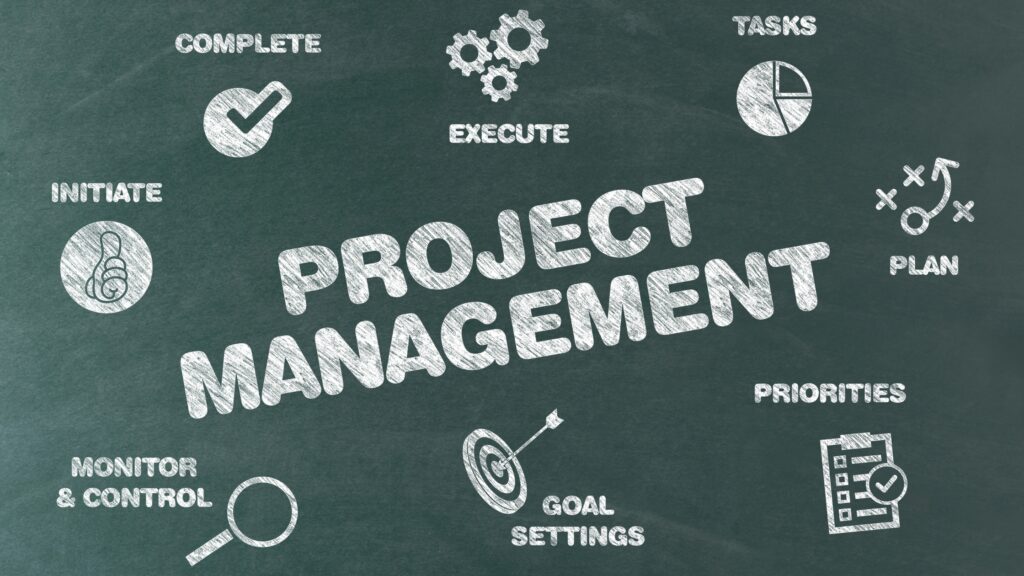
A mature system should produce several observable outcomes.
1. Priorities are clear
Team members understand which work matters most.
2. Resource conflicts are visible
Managers know when people or other resources are being over-allocated.
3. Dependencies are understood
Teams know what work is waiting on something else.
4. Risks are identified early
Problems are discussed before they become emergencies.
5. Project status is transparent
Stakeholders can understand where projects stand without repeatedly asking for updates.
6. Scope changes are controlled
New requirements are assessed rather than silently added.
7. Decisions happen at the appropriate level
Teams have enough authority to move work forward while significant trade-offs are escalated.
8. The portfolio can change
Projects can be reprioritized, delayed, combined, or stopped when circumstances change.
9. Teams can sustain the workload
The system does not depend on permanent overtime or constant crisis management.
How to Continuously Improve Your System
Multi-project management should be treated as an operating system that improves over time. After completing a project, conduct a short retrospective. Ask:
- What worked?
- What did not?
- Which assumptions were wrong?
- Where did the schedule fail?
- Which dependency caused problems?
- Was capacity estimated realistically?
- Were stakeholders informed early enough?
- What caused rework?
- Which processes should be standardized?
- What should we stop doing?
Document the answers.
Then turn recurring lessons into process improvements. For example: If three projects are delayed because approvals take longer than expected, the solution may not be “work faster.”
The solution may be to change the approval process. If several projects suffer because one specialist is constantly overloaded, the solution may be:
- Training another employee
- Hiring external support
- Changing priorities
- Reducing project concurrency
- Automating part of the work
This is the difference between repeatedly solving symptoms and improving the system.
Frequently Asked Questions
What is multi-project management?
Multi-project management is the coordinated planning, prioritization, execution, monitoring, and control of several projects while balancing shared resources, deadlines, dependencies, risks, and organizational priorities.
It differs from managing one project because projects may compete for the same people, budget, information, equipment, or management attention.
How many projects can one project manager manage?
There is no universal number. The practical workload depends on:
- Project complexity
- Project size
- Team experience
- Number of stakeholders
- Degree of dependency
- Reporting requirements
- Resource constraints
- Project manager responsibilities
- Organizational support
- Level of automation
A manager responsible for several small, predictable projects may have a very different workload from someone managing several complex initiatives with significant dependencies. Rather than using a fixed project count, evaluate the total management load.
What is the best way to prioritize multiple projects?
Prioritize projects using clearly defined criteria such as:
- Strategic alignment
- Customer impact
- Financial impact
- Deadline sensitivity
- Risk
- Dependencies
- Resource requirements
- Opportunity cost
Review priorities regularly because business conditions can change.
What causes projects to miss deadlines?
Common causes include:
- Poor planning
- Unrealistic estimates
- Scope changes
- Resource shortages
- Unclear requirements
- Dependency delays
- Slow approvals
- Poor communication
- Technical problems
- Insufficient risk planning
Missed deadlines often result from several interacting problems rather than one isolated mistake.
How can I manage multiple projects without becoming overwhelmed?
Start with visibility. Create one master view of your projects, establish priorities, assess capacity, identify dependencies, schedule focused work, delegate appropriately, and review project health regularly.
Do not attempt to personally control every task. Build a system that allows the right people to own the right work.
How can AI help with multiple project management?
AI can assist with administrative and analytical activities such as summarizing meetings, drafting reports, organizing information, creating task descriptions, identifying possible conflicts, and supporting routine workflow automation.
However, AI-generated recommendations should be reviewed before they affect important project decisions. Human judgment remains important for priorities, trade-offs, stakeholder relationships, risk acceptance, and strategic decisions.
What is the difference between project management and portfolio management?
Project management focuses on delivering a particular project. Portfolio management considers a collection of projects and other initiatives and focuses on strategic alignment, prioritization, resource allocation, and overall value. A company can therefore manage an individual project effectively while still having a poorly balanced portfolio.
Should every project have the same methodology?
No. Different projects may require different approaches. A project with stable requirements may benefit from a more sequential approach. A project involving experimentation or rapidly changing requirements may benefit from iterative planning.
The important consideration is whether the management approach matches the project’s uncertainty, requirements, stakeholders, and delivery environment.
What should I do when two high-priority projects need the same person?
Make the conflict explicit. Compare the projects based on:
- Strategic importance
- Deadline consequences
- Customer impact
- Risk
- Dependencies
- Required effort
- Available alternatives
Then decide whether to:
- Reprioritize work
- Adjust one deadline
- Reduce scope
- Assign another resource
- Bring in external support
- Sequence the work
Do not hide the conflict by assigning the same person to both projects at full capacity.
Final Thoughts: Managing Multiple Projects Is a System, Not a Memory Test
Learning how to manage multiple projects effectively is not about remembering more tasks or working longer hours. It is about building a system that makes competing demands visible and creates a disciplined way to decide what happens next. The most important shift is to stop thinking of several projects as completely separate workloads.
They form an interconnected system. A change in one project can affect another. A shortage of one specialist can delay several initiatives. A new deadline can force a different allocation of resources. A scope increase can create consequences far beyond the project where it originated. That is why effective multi-project management requires both project-level execution and portfolio-level thinking.
The objective is not to keep every project equally busy. It is to ensure that limited time, people, money, and attention are directed toward the work that matters, while risks and conflicts are identified early enough to make informed decisions. When the system works, deadlines become easier to manage because the organization is no longer relying on memory, constant multitasking, or last-minute firefighting.
Instead, priorities are visible, responsibilities are clear, dependencies are understood, capacity is monitored, and decisions are made before small problems become major delays. That is the foundation for managing multiple projects sustainably in 2026 and beyond.
About the Author
Mukthar Salam
He is the founder and author of MarketLiftAI. Mukthar is passionate about Business and Technology, since 2023 he has written over 100 articles covering AI Tools, Business Software, SaaS Platforms, Internet Services, Cybersecurity, Digital Marketing, Cloud Computing, Business Finance Tools and Online Business Services. Over the past 3 years. Mukthar has been building, analyzing, and Maintaining Websites for over 3 years and also shares his wealth of knowledge and experience on MarketLiftAI.
References
This article draws on established project-management standards and official documentation to explain multi-project planning, portfolio management, resource allocation, project dependencies, and organizational project management.


It agree, this remarkable idea is necessary just by the way